


ERP systems are powerful, but they are not always intuitive for the average employee to navigate. An AI chatbot for ERP bridges this gap, allowing employees to ask plain-language questions and get immediate answers pulled directly from ERP data.
This shift represents a broader trend toward conversational business intelligence, where accessing data no longer requires knowing which report to run or which module to open.
This guide explains AI chatbot for ERP, covering how it works, key use cases, implementation considerations, and what businesses should evaluate before getting started.
What an AI Chatbot for ERP Can Answer
A well-implemented ERP chatbot can typically handle a wide range of operational questions.
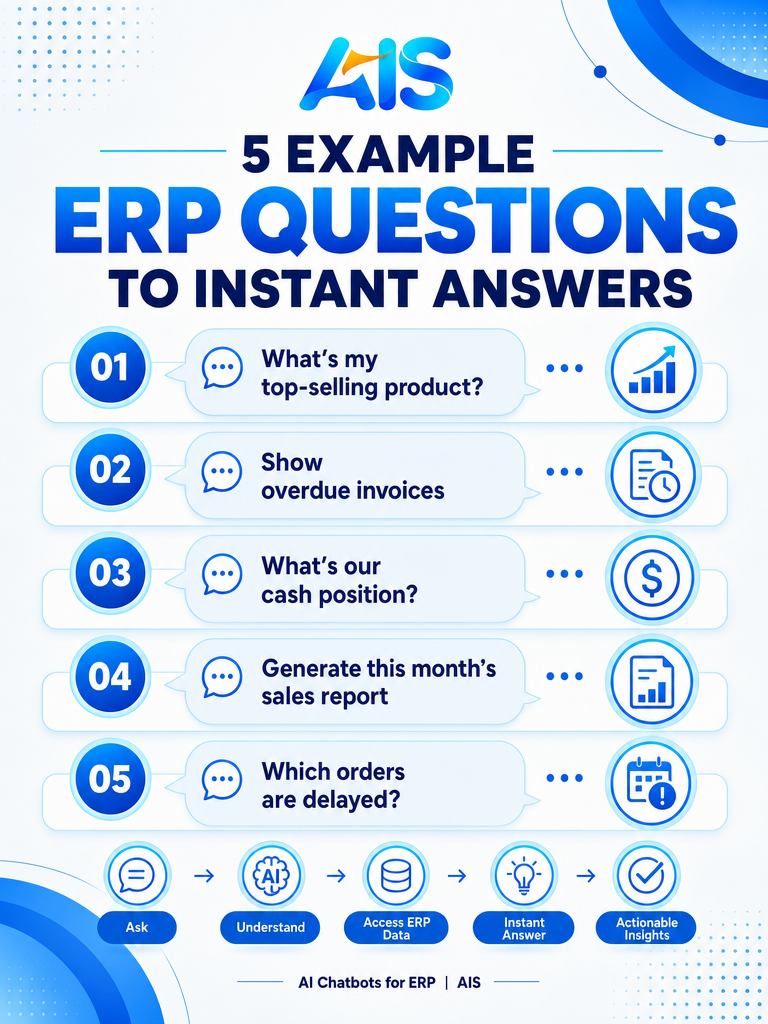
Take Ananthi, an AI chatbot for SAP Business One built by AIS Business Corp, as a working example of what this looks like in practice. Instead of raising a ticket, waiting for IT support, explaining the requirement, and waiting again for report development, a sales manager can simply ask “Show monthly sales by region,” a finance executive can ask “Generate customer outstanding report,” and a warehouse supervisor can ask “Display inventory aging chart” — and get accurate reports and visual dashboards back within seconds, pulled directly from SAP data.
- “What is our current stock level for [product]?”
- “Which invoices are overdue this month?”
- “What were yesterday’s sales by region?”
- “What is the status of purchase order [number]?”
- “Which customers have not placed an order in 60 days?”
How Enterprise AI for ERP Chatbots Work
Enterprise AI for ERP chatbots typically use a retrieval layer that queries the ERP database or API in response to a natural-language question, then formats the results conversationally rather than as a raw report.
Ananthi’s natural language processing layer means users no longer need SQL knowledge, technical ERP expertise, or reporting-tool training. A request like “Generate vendor payment pending report for April” is understood, matched to the correct SAP tables, retrieved, formatted, and — where relevant — turned into a chart automatically, all within the same conversation.
Conversational Business Intelligence: Beyond Simple Lookups
More advanced implementations of conversational business intelligence can go further than simple lookups — comparing periods, identifying trends, or flagging exceptions automatically as part of the response.
Ananthi, for instance, can convert raw SAP data into bar charts, pie charts, line graphs, trend analysis, and KPI dashboards on request — a warehouse manager asking “Which products are below reorder level?” gets low-stock products, current inventory, supplier details, and reorder recommendations back immediately, rather than a static export that still needs manual analysis.
- “Compare this quarter’s sales to last quarter”
- “Which products are trending down in the last 30 days?”
- “Show me unusual expense patterns this month”
Benefits for Different Business Roles
An AI assistant for business built around ERP data serves different roles in different ways.
An ERP chatbot like Ananthi also supports role-based access, so finance users see financial reports, sales teams see customer data, and HR users see employee information — the conversational interface doesn’t override existing SAP permission structures, it works within them across finance, sales, procurement, inventory, manufacturing, HR, and customer service.
- Sales teams get instant order and customer status updates
- Finance teams get quick visibility into receivables and payables
- Operations teams get real-time inventory and fulfillment status
- Executives get summarized answers without requesting custom reports
Measuring the Business Impact of AI chatbot for ERP
Before starting an implementation, it helps to define what success will actually look like — otherwise it becomes difficult to judge whether the investment paid off once the system is live.
Common metrics organizations track include time saved per week on the target process, reduction in manual errors, faster turnaround on the specific workflow being automated or analyzed, and, where applicable, direct cost savings from reduced headcount needs or avoided losses (such as fewer missed reorders or late payment reminders). A useful proxy metric specific to ERP chatbots is the drop in reporting-related IT tickets once self-service reporting is available to end users.
A simple way to frame this is: measure the baseline (how the process works today, including time spent and error rates), implement the solution for a defined pilot period, then measure the same metrics again. The delta between the two gives a concrete, defensible picture of the return on investment — far more convincing internally than anecdotal impressions alone.
What Internal Teams Need to Be Involved
For related approaches, see our guide on AI agents vs AI assistants.
Successful adoption of AI chatbot for ERP rarely rests on IT alone. The most effective implementations typically involve a small, cross-functional group from the outset.
- IT or a technical partner to handle integration and security
- A business process owner who understands the day-to-day workflow being changed
- End users who will actually interact with the system, providing early feedback
- A executive sponsor who can help prioritize the initiative and remove organizational roadblocks
A Practical Readiness Checklist Before Adopting AI Chatbots for ERP
It’s also worth reviewing how this compares with enterprise AI assistants when scoping your rollout.
Before committing budget and time to AI chatbot for ERP, it helps to honestly assess organizational readiness. The following checklist reflects questions worth answering internally first.
- Is there a specific, measurable business problem this is meant to solve, rather than a vague goal of “using more AI”?
- Is the relevant business data accessible, reasonably clean, and available through an API, database, or export?
- Is there a clear owner internally who will champion the initiative past the initial pilot phase?
- Has leadership agreed on what level of AI autonomy is acceptable for this use case, and what should always require human approval?
- Is there a realistic timeline and budget that accounts for integration work, not just the AI component itself?
Where This Is Heading
The pace of change in enterprise AI capability remains fast, and AI chatbot for ERP is likely to keep evolving over the next several years rather than settling into a fixed set of features.
Businesses that build a foundation now — clean data access, clear governance policies, and internal familiarity with how AI fits into daily workflows — will generally find it easier to adopt newer capabilities as they mature, compared to organizations starting from scratch each time.
Rather than waiting for a “perfect” version of the technology, most organizations find more value in starting with a well-scoped, achievable use case today and building organizational capability incrementally alongside the technology’s own evolution.
Where AI chatbot for ERP Creates the Most Value
While every business can benefit from AI chatbot for ERP, certain industries and organizational profiles tend to see faster or more pronounced results.
Manufacturing and Distribution
Manufacturers and distributors dealing with complex inventory, multi-location operations, and supplier coordination often see some of the fastest returns from AI chatbot for ERP — tracking production performance, inventory utilization, machine efficiency, and procurement trends through simple conversational requests instead of custom report builds.
Professional Services and Consulting
Service-based businesses use AI chatbot for ERP to reduce time spent on administrative tasks, freeing billable staff to focus on client-facing work rather than internal reporting and coordination.
Retail and Wholesale Distribution
Retail and wholesale businesses managing high transaction volumes and thin margins benefit from AI chatbot for ERP through faster decision cycles, reduced manual reconciliation, and earlier visibility into performance shifts such as daily sales, customer behavior, and branch performance.
Mid-Size Enterprises Running SAP or Similar ERP Platforms
Mid-size enterprises already running SAP Business One are well positioned to adopt AI chatbot for ERP, since the underlying transactional data needed already exists within their systems.
Common Mistakes to Avoid
Organizations adopting AI chatbot for ERP sometimes run into avoidable setbacks. Being aware of these common mistakes upfront can save significant time and rework.
- Starting too broad — attempting to apply AI chatbot for ERP across every department at once instead of proving value with one well-scoped use case first, such as self-service sales or inventory reporting
- Underestimating data quality issues — AI chatbot for ERP depends on accurate, accessible underlying data, and poor data hygiene undermines results regardless of how capable the AI is
- Skipping governance and access control planning until after deployment, rather than designing it in from the start
- Choosing a vendor based on demos alone, without verifying real integration experience with your specific systems
- Failing to define what success looks like before starting, making it difficult to measure the actual impact of AI chatbot for ERP later
How AIS Business Corp Approaches This
AIS Business Corp works with organizations to implement AI chatbot for ERP in a way that fits their existing technology environment rather than requiring disruptive replacement of systems already in place. For SAP Business One users, this typically means deploying Ananthi — an AI chatbot purpose-built for SAP Business One — so that non-technical employees can generate self-service reports, charts, and business insights instantly using natural language, without waiting on IT for every request. The process starts with a structured discovery phase to understand current workflows, data sources, and pain points, followed by a focused pilot on one well-defined use case. Rather than treating AI chatbot for ERP as a one-time project, AIS Business Corp emphasizes iterative refinement — monitoring real usage, gathering feedback from the teams actually using the system, and adjusting scope, automation boundaries, and integrations accordingly. This approach reduces risk while still allowing businesses to expand capability steadily once initial value is proven, which is especially important for organizations exploring ai chatbots for erp: how conversational ai simplifies business operations for the first time.
Related Resources
AI chatbots for ERP connect naturally to broader enterprise AI for ERP and analytics capabilities.
- Explore Enterprise AI Assistants
- Enterprise AI for ERP
- AI Analytics for ERP
- Enterprise AI Solutions: 10 Ways Businesses Can Transform with AI
Frequently Asked Questions
What can an AI chatbot for ERP do?
An AI chatbot for ERP can answer natural-language questions about inventory, orders, invoices, and other operational data pulled directly from the ERP system, and generate charts and dashboards on request.
Does an ERP chatbot require IT involvement for every question?
No, once properly integrated, employees can ask questions directly without needing IT to create custom reports for each request — this is the core idea behind self-service reporting tools like Ananthi.
What is conversational business intelligence?
Conversational business intelligence allows users to ask questions in plain language and receive answers, comparisons, or trend insights without manually running reports.
Which ERP systems support AI chatbot integration?
Most modern ERP systems with APIs, including SAP Business One and SAP S/4HANA, can support AI chatbot integration through appropriate connection methods.
Conclusion
AI chatbots for ERP are turning static reporting into responsive, conversational access to business data. As conversational business intelligence matures, employees across departments can get the answers they need without waiting on reports or navigating complex ERP menus.
Talk to an AIS Business Corp specialist to explore how AI chatbot for ERP can be tailored to your organization’s systems, data, and workflows.
You can also explore more implementation guides on the AIS Business Corp blog.
Related resource: IBM on generative AI in business on ibm.com.
