


In this guide: AI copilot for retail explained end to end — what it does, the features that matter, and how to roll it out in your stores.
An the copilot is a conversational assistant connected to your live business data. Store managers ask questions the way they would ask a analyst — which stores missed target today, what is low on stock for the weekend promotion, which category grew fastest this month — and get instant answers, charts, and exports.
The bottleneck in retail decisions is rarely ambition; it is access. Reports wait on analysts, dashboards go stale, and the question you actually have is never the one on the dashboard. This guide shows how an AI copilot removes the bottleneck — and how Retail Pro AI brings one to retailers running SAP Business One.
What an AI Copilot for Retail Actually Does
Think of it as a colleague who has read every transaction your business ever made and never sleeps. Under the hood, the copilot translates natural-language questions into queries against live data, generates the right chart or table, explains the answer, and offers to export it — all in seconds.
Unlike generic chatbots, a retail copilot is grounded in your items, stores, promotions, and stock ledger. It knows that “the black denim problem” means low cover in three specific branches, because it sees the same ERP your buyers see. IBM’s overview of AI agents describes this grounded, action-oriented pattern well.
Everyday Questions a Retail Copilot Answers
The value shows up in the questions teams stop having to wait for:
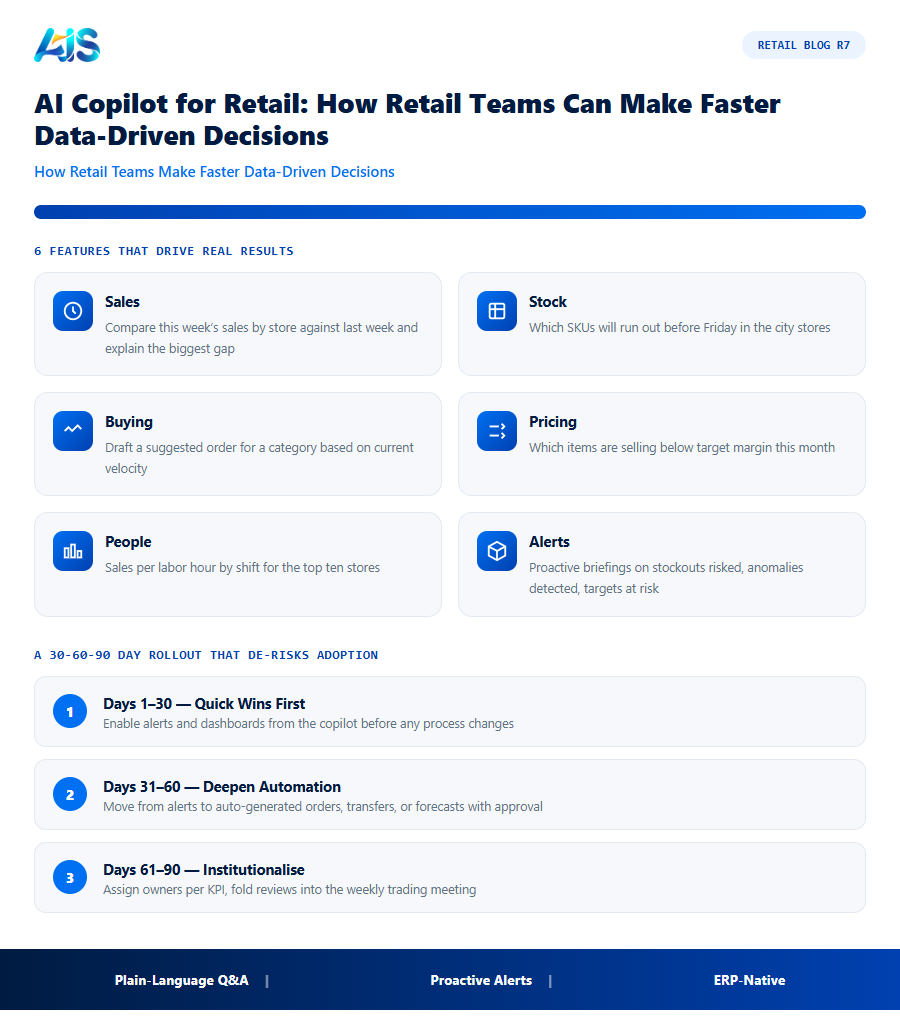
- Sales — “Compare this week’s sales by store against last week and explain the biggest gap.”
- Stock — “Which SKUs will run out before Friday in the city stores?”
- Buying — “Draft a suggested order for category X based on current velocity.”
- Pricing — “Which items are selling below target margin this month?”
- People — “Sales per labor hour by shift for the top ten stores.”
- Alerts — proactive briefings: stockouts risked, anomalies detected, targets at risk.
Each answer arrives as a chart, a table, or a one-click Excel or PDF export — so the follow-up meeting starts from the same numbers everyone already saw.
What an AI Copilot for Retail Does Every Day
The copilot works the way retail works — in questions asked between tasks:
- “Which stores will run out of the promo SKU before Friday?” — answered with a per-store list and suggested transfers.
- “Show yesterday’s sales by category against last week” — a chart in seconds, exportable to Excel.
- “Which suppliers are late on this week’s deliveries?” — an exception list with contact-ready details.
- “Draft a markdown proposal for slow-moving outerwear” — a ready-to-review summary with the numbers attached.
Each answer draws on live ERP data, so the the copilot never guesses. Over a week, that is hours of analyst time returned to merchants and buyers.
Adopting an AI Copilot Without Disrupting Store Operations
Start narrow and earn trust: one role (buying or operations), one question set, two weeks. Track which answers triggered action, then expand to planning and store managers. Because the copilot reads the ERP directly, no parallel spreadsheet layer grows — answers and systems stay aligned from day one, and adoption spreads because the tool saves visible time.
Copilot answers draw on the same live data as warehouse-to-finance AI insights..
How the Investment Pays for Itself
the copilot earns its budget the same way any good operations tool does: by converting hidden losses into visible savings. Retailers who measure the before-and-after almost always find the investment repaid inside the first year.
Do not ignore the soft savings either. Fewer emergency transfers mean lower freight bills; cleaner data means fewer disputes with suppliers; calmer stores mean lower staff turnover. None of these appears on a vendor quote, yet together they often rival the headline gains from the copilot in the first full year.
Do not forget the human dividend. Buyers who stop wrestling spreadsheets start negotiating harder; store managers who trust the numbers spend Saturdays selling instead of counting. Morale and retention improve when teams feel equipped rather than overwhelmed, and that stability shows up in customer experience scores within a few months.
A 30-60-90 Day Rollout That De-risks Adoption
You do not need a year-long transformation to benefit from the copilot. A focused 30-60-90 day rollout gets live data flowing in weeks and measurable KPI movement inside a quarter.
Integration checkpoints matter more than feature demos. Confirm that every sale, receipt, transfer, and return lands in the system within minutes, and reconcile the first week’s totals against the ERP daily. A rollout whose numbers tie out from day one earns the credibility that carries the rest of the change.
- Days 1-30 — quick wins first: enable alerts and dashboards from the copilot so teams feel the benefit before any process changes.
- Days 31-60 — deepen automation: move from alerts to auto-generated orders, transfers, or forecasts with human approval.
- Days 61-90 — institutionalise: document the new rhythm, assign owners per KPI, and fold reviews into the weekly trading meeting.
Sample Questions Retail Teams Ask an AI Copilot
The clearest way to understand what an AI copilot for retail actually does day to day is to see the kinds of questions store, buying, and finance teams ask it in plain language, without writing a query or opening a report builder:
- “Which stores are trending below plan this week, and what changed?”
- “Show me the top five products at risk of stocking out in the next ten days across all branches.”
- “Compare this month’s margin by category against the same month last year.”
- “Which suppliers have missed delivery windows more than twice this quarter?”
- “Draft a reorder recommendation for store twelve based on current velocity and lead time.”
What makes these useful is not novelty — buyers could always pull this data manually — but speed. A question that used to require exporting spreadsheets and building a pivot table now returns an answer in seconds, with the option to drill into the underlying transactions. Retail teams that adopt an AI copilot report the biggest time savings not in any single report, but in the number of small, ad hoc questions they can now ask throughout the day that they would previously have skipped because pulling the data wasn’t worth the effort.
How a Retail Copilot Stays Accurate: The Guardrails That Matter
The single biggest concern retailers raise before adopting an AI copilot for retail is trust: what stops it from confidently returning a wrong number? The answer lies in the architecture, not the model alone. A well-built retail copilot does not generate answers from general knowledge — it translates a question into a structured query against your live ERP tables, runs that query, and only then uses AI to phrase the result in plain language. The numbers themselves come from the same source of truth your finance team already reconciles against, not from the model’s own reasoning.
That distinction matters practically. If a store manager asks “how many units of SKU 4471 do we have in store six,” the copilot is not estimating an answer — it is reading the actual stock ledger, the same one that drives replenishment and financial reporting. This is why a copilot grounded in SAP Business One behaves differently from a general-purpose AI chat tool bolted onto an export: the export can go stale within hours, while the grounded copilot answers from whatever the ERP shows right now.
Role-based permissions extend the same discipline to security. A store manager asking about their own location sees their own numbers; a regional lead sees the region; a finance user sees margin data a store manager may not be authorized to view. The copilot inherits these permissions from the ERP rather than maintaining a separate access layer that can drift out of sync.
Signs Your Team Would Benefit From an AI Copilot Right Now
Not every retailer needs conversational AI on day one, but a few operational patterns reliably predict a fast, high-value adoption:
- Analysts spend most of their week answering the same handful of question types — sales by store, stock by category, margin by supplier — repeated with slightly different filters each time.
- Store managers wait hours or days for a simple number because pulling it requires someone with report-builder access and spreadsheet skills.
- Decisions get delayed to the weekly meeting not because the data is hard to find in principle, but because nobody has time to build the report before then.
- The same questions get asked slightly differently by different people, producing slightly different answers depending on who built the spreadsheet — a sign the organization needs one queryable source, not more reports.
Retailers matching two or more of these patterns typically see an AI copilot for retail pay for itself in reclaimed analyst and manager time within the first quarter, well before any harder-to-measure gains in decision speed show up in the numbers.
AI copilot for retail: Frequently Asked Questions
Is an AI copilot the same as a chatbot?
A plain chatbot answers scripted questions. An the copilot interprets free-form questions against your live ERP data, explains results, and can produce reports and exports — more like a data analyst on call for every manager.
Will store data stay secure?
Yes — the copilot runs against your own systems with role-based access, so each user only sees data their permissions allow. Nothing is answered from generic internet knowledge.
Do staff need training to use it?
If they can send a message, they can use it. Most teams adopt it in days; the usual learning curve is discovering which questions to ask.
Can small retail chains afford AI copilot for retail?
Yes. Cloud pricing scales with stores and users, so a five-store chain pays a fraction of what an enterprise deployment costs. Because the savings come from the same leaks — stockouts, markdowns, overstock — smaller chains often see faster payback in percentage terms.
Does this kind of platform replace our buyers and planners?
No — it upgrades them. the platform handles the repetitive arithmetic of forecasting and ordering so buyers can negotiate better terms, planners can shape ranges, and store teams can serve customers. Headcount rarely falls; output per head rises sharply.
What data do we need before starting with this kind of platform?
Clean item masters, accurate opening stock per location, supplier lead times, and at least six months of sales history. Most retailers already hold all four inside their POS and ERP — the implementation work is validation and deduplication, typically completed inside the first month.
An the copilot collapses the distance between question and answer. Store teams stop waiting for reports and start deciding in the moment — with grounded, live numbers behind every reply. For SAP Business One retailers, Retail Pro AI delivers exactly that: instant answers, charts, and exports from the data you already trust. Start narrow, measure honestly, and scale what the numbers prove. That discipline, powered by the copilot, turns inventory from your biggest risk into your most reliable advantage. See how Retail Pro AI brings AI copilot for retail together with AI inside SAP Business One — book a demo to see your own store data in action.
