


In this guide: retail procurement software explained end to end — what it does, the features that matter, and how to roll it out in your stores.
the procurement platform turns purchasing from a mailbox full of negotiations into a governed, data-driven process: what to buy, from whom, at what terms — with every order, approval, and supplier performance metric in one system.
For multi-store retailers, procurement is where margin quietly leaks: duplicated orders, missed payment discounts, emergency buys at premium prices, and supplier issues discovered only after shelves go empty. This guide shows how retail procurement software plugs those leaks, and how Retail Pro AI adds AI-suggested ordering on top of SAP Business One purchasing.
What Retail Procurement Software Automates
The procurement cycle has repeating steps that software handles faster and more consistently than any buyer:
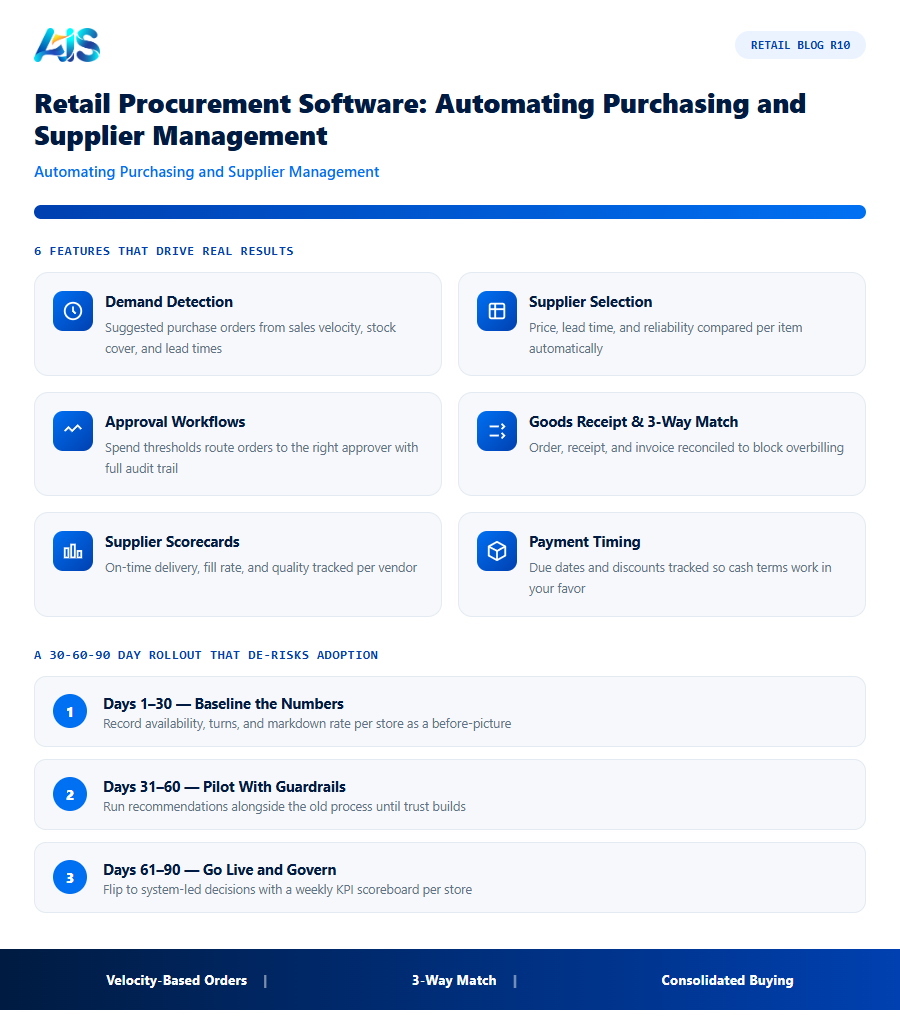
- Demand detection — suggested purchase orders generated from sales velocity, stock cover, and lead times.
- Supplier selection — price, lead time, and reliability compared per item automatically.
- Approval workflows — spend thresholds route orders to the right approver with full audit trail.
- Goods receipt and 3-way match — order, receipt, and invoice reconciled to block overbilling.
- Supplier scorecards — on-time delivery, fill rate, and quality tracked per vendor.
- Payment timing — due dates and discounts tracked so cash terms work in your favor.
Suppliers feel the difference too: fewer urgent phone orders, cleaner forecasts, and disputes settled by data instead of memory.
From Reactive Buying to AI-Assisted Procurement
The next step beyond automation is recommendation. AI reads demand patterns and supplier history, then proposes not just quantities but better choices — alternate suppliers when lead times slip, order consolidation to hit discount tiers, and early warnings on items heading for shortage. SAP’s own procurement AI direction, described in its spend management solutions, points the same way: buyers supervise strategy while software handles the arithmetic.
The buyer’s role upgrades with it. Less time typing orders means more time negotiating terms, qualifying backup suppliers, and planning seasonal buys — the work where human judgment genuinely earns its keep. Related reading: how AI agents simplify procurement in SAP Business One.
Retail Procurement Software Features That Pay for Themselves
The ROI shows up in four places:
- Velocity-based reordering — purchase suggestions shaped by what is actually selling, per store.
- Lead-time awareness — orders timed to supplier reality, not gut feel.
- Consolidated purchasing — combine store demand into better supplier terms.
- Three-way matching — invoices checked against orders and receipts before payment.
Together these shrink both stockouts and excess, while freeing buyers to negotiate instead of re-keying orders — the core promise of the workbench.
From Manual Buying to Automated Replenishment
Automation is a dial, not a switch. Begin with auto-suggested orders buyers approve in one click; move to auto-ordering for staples with stable velocity; keep human review for seasonal and promotional buys. Every step shortens the loop between demand signal and purchase order — and every shortcut is measured, so trust grows with evidence rather than promises.
How the Investment Pays for Itself
The business case for the procurement platform is unusually straightforward because the costs of the status quo are visible every single week — in markdowns, rush orders, overtime, and write-offs. Put numbers on those leaks and the software starts paying for itself.
Then look at working capital. Inventory is usually a retailer’s largest use of cash after property, so a ten to fifteen percent reduction in average holdings — a realistic outcome once the workbench is running — releases funds that can pay down debt or fund new ranges. Labour is the third lever: buyers, planners, and store managers reclaim hours previously lost to spreadsheets, stock counts, and expediting.
There is also a compounding effect that spreadsheets understate. Cleaner stock data improves every downstream decision: forecasts get sharper, suppliers perform better against reliable orders, and store teams stop firefighting. Each quarter the system runs, the recommendations get more precise because they learn from more history — the return grows while the subscription cost stays flat.
A 30-60-90 Day Rollout That De-risks Adoption
The safest way to adopt the procurement platform is in waves: prove it in a few stores, harden the process, then scale. A 30-60-90 day plan keeps momentum while giving every stakeholder an early win.
Training is lighter than most teams fear. Store champions need a single hands-on session plus a one-page crib sheet; buyers and planners need half a day on approvals, exceptions, and tuning. Because daily work happens through familiar screens and plain-language alerts, adoption rarely becomes the bottleneck.
- Days 1-30 — baseline the numbers: record availability, turns, and markdown rate per store so the workbench has a before-picture to beat.
- Days 31-60 — pilot with guardrails: run system recommendations alongside the old process, overriding only with a logged reason, until trust builds.
- Days 61-90 — go live and govern: flip to system-led decisions, review exceptions weekly, and publish a visible KPI scoreboard per store.
Supplier Scorecards: A Practical Addition to Retail Procurement
Automating purchase orders is only half of what good retail procurement software should do. The other half is tracking supplier performance well enough to negotiate from a position of data, not memory. A simple supplier scorecard, updated automatically as orders are received, typically tracks:
- On-time delivery rate — the percentage of orders received within the agreed lead time, tracked per supplier and per product line.
- Order accuracy — how often the quantity and items received match what was ordered, flagging suppliers who require extra receiving checks.
- Price stability — how often a supplier’s costs change outside agreed terms, useful leverage in contract renewal conversations.
- Quality and return rate — the proportion of received stock later returned as faulty or not to specification.
Retailers who track these four figures automatically inside their retail procurement software walk into supplier negotiations with hard numbers instead of impressions. It also surfaces problems early: a supplier whose on-time rate quietly drops from 95% to 80% over two quarters is a much easier problem to raise and fix before it causes a stockout than after one has already happened. Procurement teams that review scorecards quarterly, alongside price and volume, consistently negotiate better terms than teams that only revisit supplier contracts once a year.
Scorecards also help with a decision retailers often make on instinct: whether to diversify away from a single supplier for a critical category. A supplier whose on-time delivery is strong but whose order accuracy is slipping might not warrant switching entirely, but does justify sourcing a backup for the highest-volume items in that category. Retail procurement software that tracks this data automatically turns that kind of risk decision from a gut call into something the whole buying team can see and agree on together.
Approval Workflow Design: Getting the Thresholds Right
The most common implementation mistake with retail procurement software is setting approval thresholds too tight or too loose from day one. Too tight, and every routine reorder waits on a manager’s sign-off, defeating the point of automation and quietly training buyers to route around the system. Too loose, and the audit trail exists on paper but nobody is actually reviewing the spend it was meant to control.
A workable starting structure most retailers converge on after a few months of tuning looks like this: routine reorders within historical range and under a modest dollar threshold clear automatically; orders above that threshold, or for a new supplier, or with quantities well outside historical pattern, route to a buyer; anything above a second, higher threshold — a large seasonal buy, a new product category, a change in payment terms — requires a second approval from a category manager or finance. The specific dollar values matter less than the principle: the threshold should scale with genuine risk, not apply uniformly to every transaction regardless of size.
Retailers should revisit these thresholds after the first quarter of live data, not set them once at go-live and forget them. The right calibration usually only becomes clear once you can see how many orders are queuing for approval that, in hindsight, never needed a human look, versus how many slipped through automatically that a buyer would have caught and questioned.
Consolidating Purchasing Without Losing Store-Level Flexibility
Central purchasing negotiates better supplier terms by combining volume across stores, but retailers sometimes worry it will strip local buyers of the ability to respond to a genuinely local need — a regional promotion, an unusual local demand spike, a supplier relationship a store manager has built over years. Well-designed retail procurement software resolves this tension rather than forcing a choice:
- Core, high-volume categories consolidate centrally — the products every store carries in similar volume, where combined purchasing power delivers the clearest savings.
- Local or regional categories stay store-initiated — with the option for a store manager to trigger a purchase within pre-approved suppliers and price bands, without waiting on head office for every decision.
- All purchasing, central or local, flows through the same approval and audit system — so head office retains visibility even into decisions made at store level, rather than losing track of local spend entirely.
The practical result is that consolidation captures the savings where it genuinely exists, without turning every store-level purchasing decision into a head-office bottleneck.
Retail procurement software: Frequently Asked Questions
Can retail procurement software generate purchase orders automatically?
Yes — suggested POs are produced from demand signals and your approval rules. Buyers review and approve; nothing orders itself without a human sign-off.
How does it improve supplier management?
Every order, receipt, and invoice builds a supplier scorecard: on-time delivery, fill rate, price stability, and quality. Renewal negotiations start from evidence instead of anecdotes.
Does it work with SAP Business One purchasing?
Retail Pro AI is built on SAP Business One, so suggested orders flow through the same purchase orders, approvals, and goods-receipt workflows your finance team already trusts.
What data do we need before starting with retail procurement software?
Clean item masters, accurate opening stock per location, supplier lead times, and at least six months of sales history. Most retailers already hold all four inside their POS and ERP — the implementation work is validation and deduplication, typically completed inside the first month.
Can small retail chains afford this kind of platform?
Yes. Cloud pricing scales with stores and users, so a five-store chain pays a fraction of what an enterprise deployment costs. Because the savings come from the same leaks — stockouts, markdowns, overstock — smaller chains often see faster payback in percentage terms.
Does this kind of platform replace our buyers and planners?
No — it upgrades them. the platform handles the repetitive arithmetic of forecasting and ordering so buyers can negotiate better terms, planners can shape ranges, and store teams can serve customers. Headcount rarely falls; output per head rises sharply.
the workbench replaces the scramble of emails and spreadsheets with governed, automated purchasing — and AI suggestions make buying proactive rather than reactive. Plug the leaks in ordering, approvals, and supplier management, and procurement becomes a margin protector instead of a margin leak. If there is one action to take this week, let it be this: pick your three worst-performing stores on availability, baseline their numbers, and run a ninety-day pilot of the workbench against them. The data will make the rollout decision for you. See how Retail Pro AI brings retail procurement software together with AI inside SAP Business One — book a demo to see your own store data in action.
