


In this guide: SAP Business One for retail explained end to end — what it does, the features that matter, and how to roll it out in your stores.
the ERP is the ERP backbone behind a surprising number of growing chains: one database where point of sale, inventory, purchasing, customers, and finance all live together. Instead of POS talking to accounting via exports, every sale is instantly a stock movement, a revenue line, and a customer history entry.
This guide is the complete picture for retail decision-makers: which modules matter, how SAP Business One handles multi-store retail, where specialized retail features come from, and how the Retail Pro AI layer adds forecasting, alerts, and an AI copilot on top of the ERP.
Why Retailers Choose SAP Business One
Retailers rarely outgrow a POS system gracefully — they outgrow it financially. The moment you need consolidated financials across stores, wholesale plus retail operations, or real landed-cost tracking, POS-plus-spreadsheets starts costing more than it saves. SAP Business One fills that middle ground: mid-market pricing with enterprise ERP discipline.
Everything posts in real time to one ledger. A sale in any store updates stock, revenue, tax, and customer loyalty in the same instant — so finance, buying, and operations stop reconciling and start planning. As SAP describes it, the product is built precisely for growing companies that have outgrown entry-level tools.
The Retail Capability Map in SAP Business One
Here is how the modules map to retail operations:
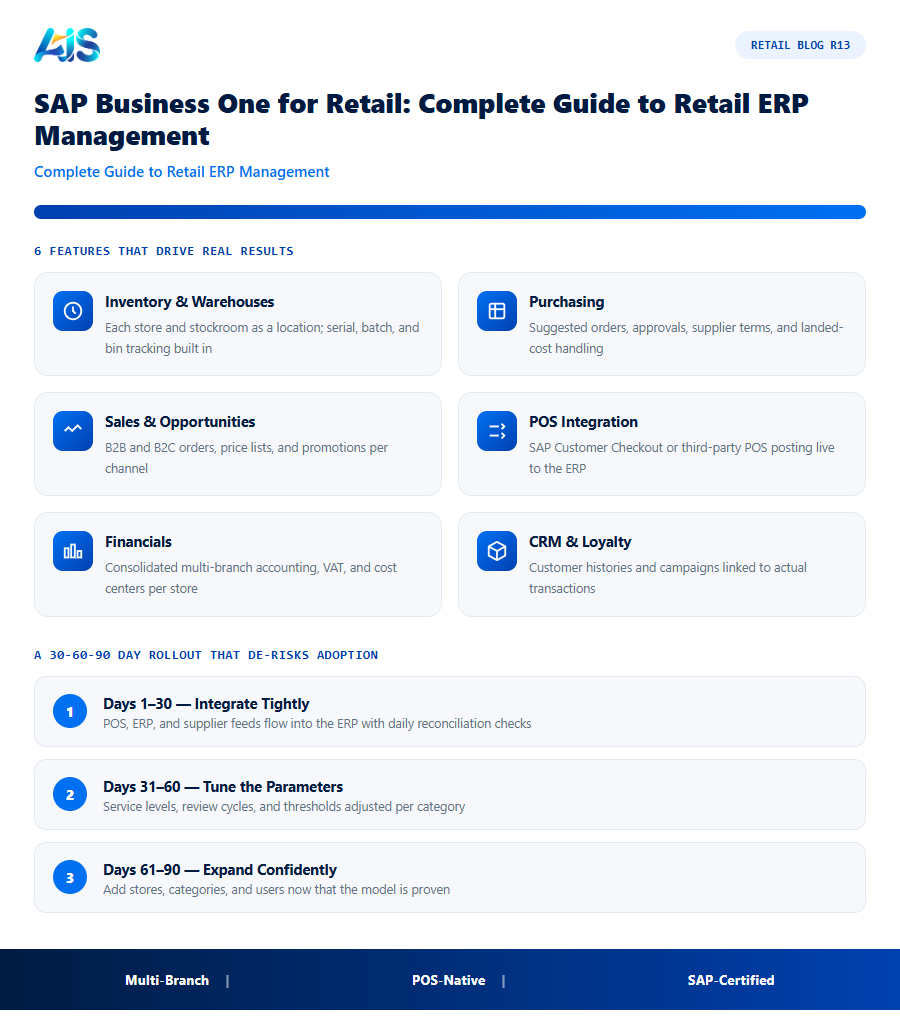
- Inventory & warehouses — each store and stockroom as a location; serial, batch, and bin tracking built in.
- Purchasing — suggested orders, approvals, supplier terms, and landed-cost handling.
- Sales & opportunities — B2B and B2C orders, price lists, and promotions per channel.
- POS integration — SAP Customer Checkout or third-party POS posting live to the ERP.
- Financials — consolidated multi-branch accounting, VAT, and cost centers per store.
- CRM & loyalty — customer histories and campaigns linked to actual transactions.
What the standard product does not include — AI forecasting, plain-language reporting, proactive stock alerts — is exactly where the Retail Pro AI layer from AIS Business Corp plugs in, purpose-built for retail on SAP Business One.
What SAP Business One for Retail Handles Daily
Run on top of the core ERP, the retail layer covers the daily mechanics of trading:
- Items and variants — size/colour matrices, barcodes, and unit-of-measure handling out of the box.
- Promotions and pricing — period discounts, multibuy offers, and store-specific price lists pushed centrally.
- POS integration — sales post straight into the ledger; end-of-day reconciliation stops being a spreadsheet ritual.
- Loyalty and returns — customer history and credit memos follow the shopper across every store.
Together these turn the ERP from back-office accounting into the operating system of the shop floor.
Connecting Stores, E-commerce and the Back Office
The guide-to-guide test of any retail ERP is integration: does the web order hit the same stock ledger as the shop till? Does the marketplace return adjust the same item count? With SAP Business One as the spine, e-commerce platforms, payment providers, and warehouse systems write to one database — so omnichannel becomes a configuration task, not a custom engineering project. Chains that reach this state close the books faster, forecast from cleaner data, and open new stores by configuration instead of by rebuild.
Branch rollout patterns are detailed in multi-branch retail distribution..
How the Investment Pays for Itself
Boards do not buy software, they buy outcomes. For the ERP, the outcomes that matter are fewer stockouts, leaner inventory, and calmer teams — each of which can be quantified before you commit a single dollar.
A sensible target is full payback inside twelve months on a like-for-like store group. Most of our clients hit it sooner, because the ERP attacks several cost lines simultaneously rather than optimising one metric in isolation. Finance can verify every claim from the POS and the general ledger — no faith required.
Finally, weigh the cost of delay. Each season run on gut feel locks in another cycle of markdowns and missed sales that no later efficiency can recover. Pilots are cheap, reversible, and fast — the greater risk is spending another year with the same blind spots while competitors systematise their advantage.
A 30-60-90 Day Rollout That De-risks Adoption
Treat the rollout of the ERP as a retail season, not an IT project: short, intense, and judged on numbers. The 30-60-90 rhythm below is the pattern our most successful deployments share.
Scale in cohorts, not all at once. Each wave of stores inherits tuned parameters and battle-tested training from the last, so effort per store falls as coverage grows. By the final cohort, cutover is a routine operation rather than a project — exactly how enterprise rollouts should feel.
- Days 1-30 — integrate tightly: POS, ERP, and supplier feeds flowing into the ERP with reconciliation checks every morning.
- Days 31-60 — tune the parameters: service levels, review cycles, and thresholds adjusted per category until recommendations feel right.
- Days 61-90 — expand confidently: add stores, categories, and users now that the model is proven on real trading data.
SAP Business One Retail Modules Worth Knowing
SAP Business One for retail is not a single retail app but a set of core modules plus retail-specific add-ons that work together. Understanding what each layer handles helps retailers scope a project accurately:
- Core financials and inventory — general ledger, accounts payable and receivable, and item master data that everything else in the system is built on.
- Sales and purchasing — quotes, orders, deliveries, and purchase orders that flow directly into inventory and finance without re-keying.
- POS integration — retail-specific add-ons like Retail Pro AI connect the till directly to SAP Business One, so every sale updates stock and revenue in real time.
- Warehouse and bin management — for retailers with a distribution center feeding stores, this tracks stock down to the shelf or bin level, not just the location.
- Business intelligence layer — built-in reporting plus optional AI tools that turn the transactional data already in the system into forecasts and alerts.
Retailers evaluating SAP Business One for retail often underestimate how much of this comes standard versus how much requires a retail-specific add-on. A short scoping session with an implementation partner before signing typically clarifies which modules are core, which need configuration, and which need a dedicated retail extension like Retail Pro AI to fully match store operations.
Deployment Options: On-Premise, Cloud, and Hybrid
Retailers evaluating SAP Business One for retail have a genuine choice in how the system is hosted, and the right answer depends on store footprint, IT resourcing, and connectivity at each location:
- SAP Business One, cloud edition — hosted by SAP or a partner, accessed over the internet, with no local server hardware to maintain. This suits chains without an in-house IT team, since patching, backups, and uptime become the hosting partner’s responsibility rather than a store manager’s problem when something goes wrong.
- On-premise deployment — the database and application run on hardware the retailer owns and controls, typically at a head office or data center. Retailers with strict data residency requirements, or existing IT infrastructure they want to leverage, sometimes prefer this route, though it shifts maintenance responsibility internally.
- Hybrid connectivity for stores — regardless of where the core ERP is hosted, individual stores need reliable connectivity to post transactions in real time. Retailers in regions with unreliable internet often need a POS solution that can queue transactions locally and sync once connectivity returns, rather than one that fails outright during an outage.
Most growing retail chains choose the cloud edition specifically because it removes server maintenance from the list of things a lean operations team has to manage, letting IT effort go toward the retail-specific configuration and AI layer instead of infrastructure upkeep.
What a Retail-Focused Implementation Partner Actually Does
SAP Business One is a general-purpose ERP; the difference between a retail deployment that runs smoothly and one that fights the software daily usually comes down to whether the implementation partner has genuine retail experience, not just SAP Business One experience broadly. A retail-focused partner brings pre-built configuration for things a generic implementation would otherwise build from scratch:
- Retail-specific chart of accounts and cost centers pre-configured for multi-store P&L reporting, rather than a generic manufacturing or distribution template adapted after the fact.
- POS integration templates tested against common retail POS systems, shortening the connector build from a bespoke project to a configuration exercise.
- Item and variant setup patterns for size/color matrices, seasonal ranges, and barcode handling that a first-time SAP Business One implementer without retail experience would otherwise learn through trial and error on your live data.
When evaluating implementation partners for SAP Business One for retail, ask specifically for retail client references, not general SAP Business One references — the retail-specific configuration patterns are exactly where implementation timelines and budgets most often slip for teams without that background.
SAP Business One for retail: Frequently Asked Questions
Is SAP Business One suitable for small retail chains?
Yes — it is designed for growing companies, typically from around 10 users upward. Retailers with two to five stores and real back-office needs are the sweet spot.
Can SAP Business One run both retail and wholesale?
That is one of its strengths. The same item, customer, and pricing structures serve walk-in retail, B2B accounts, and marketplaces without parallel systems.
What is the difference between SAP Business One and SAP S/4HANA for retail?
Business One targets the mid-market with simpler deployment and cost; S/4HANA serves large enterprises. For most growing retail chains, Business One with a retail AI layer covers the need at a fraction of the complexity.
How long until we see ROI from SAP Business One for retail?
Dashboard and alert value appears in weeks; measurable KPI movement — availability up, markdowns down — typically shows within one quarter on pilot stores. Full payback inside twelve months is the benchmark to hold vendors to, and most well-run rollouts beat it.
How does this kind of platform integrate with SAP Business One?
Through a native connector, the platform reads items, warehouses, purchase orders, and sales history directly from SAP Business One and writes back approved transactions — no re-keying, no nightly batch files. Platforms such as Retail Pro AI are built specifically for this integration, so stock, purchasing, and finance stay in one consistent database.
How is this kind of platform different from our POS reports?
POS reports describe what already happened; the platform decides what should happen next. It forecasts demand, generates orders and transfers, flags exceptions, and explains its reasoning — moving teams from backward-looking reports to forward-looking decisions.
the ERP replaces the fragile patchwork of POS exports and spreadsheets with one live ERP for every store, supplier, and sale. Add the Retail Pro AI layer and the same system starts forecasting, alerting, and answering questions — a complete retail ERP management stack that grows with the chain. Every week without the ERP is another week of preventable stockouts and markdowns. A focused pilot costs little, proves much, and gives your board the evidence to back a full rollout. See how Retail Pro AI brings SAP Business One for retail together with AI inside SAP Business One — book a demo to see your own store data in action.
