


In this guide: retail ERP software explained end to end — what it does, the features that matter, and how to roll it out in your stores.
the ERP is the backbone that connects what retailers otherwise run as separate islands: point of sale, inventory, purchasing, warehouses, e-commerce, loyalty, and finance. When all of them share one database, a sale in one store instantly updates stock, buying plans, and the books.
This guide explains what retail ERP actually does, how it compares to the point tools retailers often start with, and how to choose a platform your teams will actually adopt.
What Retail ERP Software Does Day to Day
An ERP for retail is not one feature — it is the wiring between them:
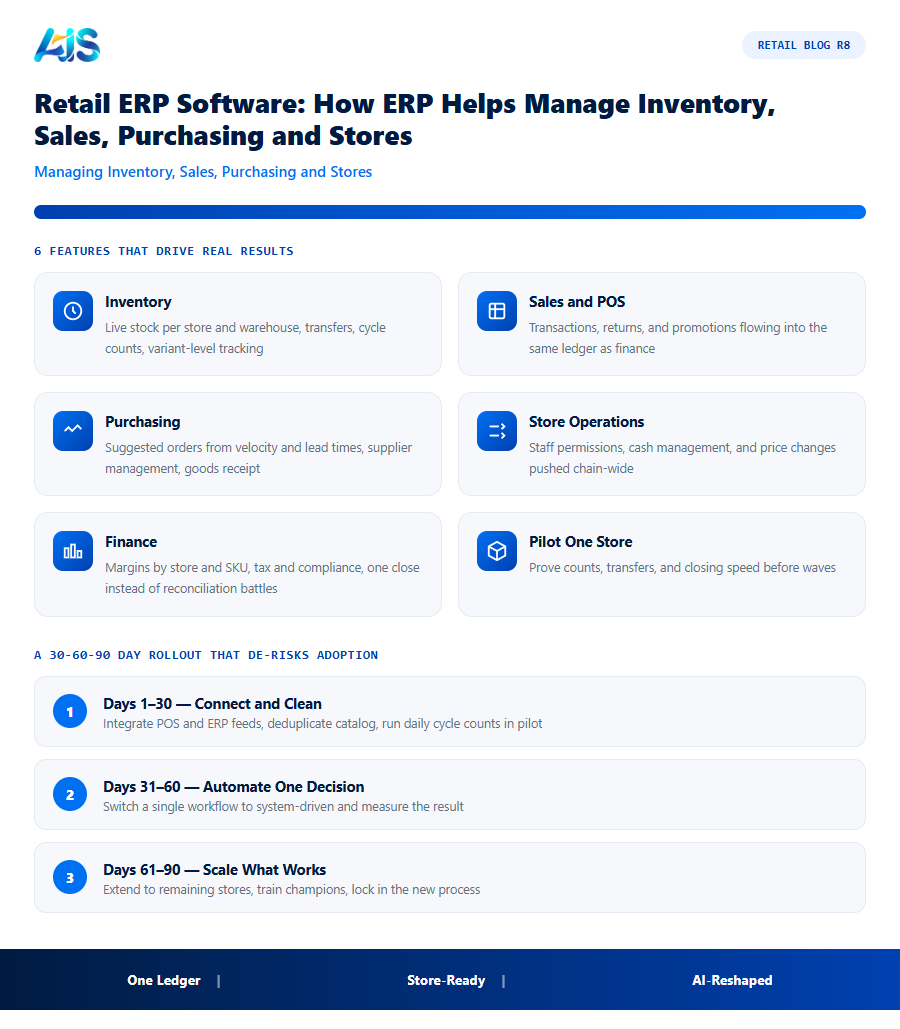
- Inventory — live stock per store and warehouse, transfers, cycle counts, variant-level tracking.
- Sales and POS — transactions, returns, and promotions flowing into the same ledger as finance.
- Purchasing — suggested orders from velocity and lead times, supplier management, goods receipt.
- Store operations — staff permissions, cash management, and price changes pushed chain-wide.
- Finance — margins by store and SKU, tax and compliance, one close instead of reconciliation battles.
The point is not the module count — it is that every module writes to one record. That is what makes chain-wide numbers trustworthy.
Retail ERP vs Point Tools: The Honest Comparison
Point tools win a demo; ERP wins the year. Here is where the difference shows:
| Scenario | Point tools | Retail ERP software |
|---|---|---|
| Stock counts | Reconciled later, by hand | Update the ledger instantly |
| New store opening | Another setup, another silo | Configuration on the same backbone |
| Promotion pricing | Uploaded per system, error-prone | One price book, pushed everywhere |
| Month-end | Exports assembled into spreadsheets | Close on live, consistent data |
| AI and analytics | Limited to each tool’s slice | Whole-business models and answers |
Standalone tools still earn a place at the edges — but the core of retail (items, stock, orders, cash) belongs in one system.
How AI Is Reshaping Retail ERP
The newest leap is conversational and predictive AI inside the ERP itself. Ask “which stores will short on the weekend promo?” and get answers from live data; let models draft purchase suggestions; catch anomalies before they become losses. SAP Business One plus a retail AI layer like Retail Pro AI brings those capabilities to mid-market retailers — without enterprise pricing.
In practice, AI in retail ERP means fewer manual reports, earlier warnings, and buyers who spend their time negotiating instead of re-keying orders.
Choosing and Rolling Out Retail ERP in 2026
A pragmatic selection sequence:
- Map the flows first — item lifecycle, order-to-cash, purchase-to-pay, store operations.
- Demand integration proof — live demos with your data volumes, not sample files.
- Pilot one store — prove counts, transfers, and closing speed before waves.
- Train role by role — cashiers, stockroom, buyers, and finance each get their own paths.
- Measure the dividend — discrepancy rates, close days, and stockout rates, tracked monthly.
Retailers that follow this order typically reach accurate chain-wide stock within a quarter — without pausing trading during rollout.
For a retail-specific rollout, see Retail Pro AI plus multi-branch retail on SAP Business One..
How the Investment Pays for Itself
Finance teams rarely approve retail ERP software on features alone — they approve it on payback. The good news is that payback usually arrives from three directions at once: recovered margin, released working capital, and saved labour hours.
Start with availability. Every percentage point of lost sales recovered through better fill rates drops almost entirely to contribution margin, because the rent and wages are already paid. Add the markdown avoided when slow sellers are spotted early, and the cash freed when safety buffers can finally be trimmed. A pilot across a handful of stores, measured over eight to twelve weeks, gives leadership credible numbers to approve a full rollout of the module.
Beyond the headline numbers, consider risk. Stockouts during peak season do lasting damage — shoppers who bounce to a competitor rarely return, and marketplace algorithms punish sellers with cancelled orders. A modest improvement in availability protects both revenue and reputation, which is why finance teams increasingly treat inventory accuracy as a revenue-protection investment rather than an operations cost.
A 30-60-90 Day Rollout That De-risks Adoption
Rolling out retail ERP software does not need to be a big-bang project. The retailers who succeed fastest follow a tight 30-60-90 day cadence that delivers value early and de-risks each next step.
Governance keeps the rollout honest. Assign one owner per KPI, review exceptions in the existing weekly trading meeting, and require a logged reason for every manual override. Within two cycles the override rate usually collapses — the clearest signal the organisation now trusts its own data.
- Days 1-30 — connect and clean: integrate POS and ERP feeds into the module, deduplicate the catalog, and run daily cycle counts in pilot stores.
- Days 31-60 — automate one decision: switch a single workflow (replenishment, allocation, or approvals) from manual to system-driven and measure the KPI delta.
- Days 61-90 — scale what works: extend to remaining stores, train champions in each location, and lock the new process into standard operating procedures.
Retail ERP vs. Point Solutions: A Practical Comparison
Many retailers start with separate tools for POS, inventory, accounting, and purchasing, then discover the integration gaps cost more than a unified retail ERP software platform would have.
| Aspect | Separate point solutions | Retail ERP software |
|---|---|---|
| Data consistency | Requires manual reconciliation or middleware between systems | Single database, no reconciliation needed |
| Reporting | Combine exports from multiple tools manually | Real-time reports across sales, stock, and finance |
| Cost over time | Multiple subscriptions plus integration and maintenance costs | One platform, predictable licensing |
| New store rollout | Configure each tool separately per location | Add a location within an existing structure |
| Audit and compliance | Trace transactions across disconnected systems | Full audit trail in one system |
Point solutions can still make sense for a very small, single-location retailer, or for a specific gap an ERP does not cover well. But as soon as a business operates more than a handful of stores, or needs finance, inventory, and sales data to agree without manual work, the integration overhead of point solutions usually costs more in staff time than a retail ERP software subscription would.
A useful way to test this for your own business is to add up the hours spent each month reconciling numbers between systems — matching POS totals to accounting, checking stock counts against purchase orders, chasing down why two reports disagree. Retailers who run this exercise honestly are often surprised how many staff hours a month go into work that a properly integrated retail ERP software platform would eliminate entirely.
What Actually Drives Retail ERP Implementation Cost
Retailers evaluating retail ERP software often anchor on the license quote and are then surprised by the total project cost. In practice, four factors drive the real number far more than the per-user license fee:
- Data migration complexity — a retailer with clean, deduplicated item masters and consistent barcoding migrates in days; one with years of inconsistent SKUs, duplicate suppliers, and undocumented pricing rules can spend weeks just cleaning data before the ERP goes live. This is almost always underestimated in initial project timelines.
- Number and depth of integrations — connecting a single POS system is straightforward; connecting POS, e-commerce, a separate warehouse management tool, and a loyalty platform multiplies both the setup effort and the ongoing maintenance surface. Every additional integration point is also a place where data can silently drift out of sync if not monitored.
- Degree of customization versus configuration — retailers who adapt their processes to the ERP’s standard workflows implement faster and upgrade more cheaply than those who insist on replicating every quirk of their legacy process through custom development. Custom code also becomes technical debt that complicates every future upgrade.
- Training depth required per role — a cashier needs an hour; a buyer configuring replenishment rules needs a half-day; an administrator managing the system needs ongoing certification. Underinvesting here is the single most common cause of a technically successful go-live that never reaches full adoption.
Retailers who budget realistically for these four factors, rather than comparing vendors on license price alone, consistently report smoother rollouts from their retail ERP software investment.
SAP Business One Modules Retailers Rely On Most
For retailers running SAP Business One as their retail ERP backbone, a handful of standard modules do most of the daily work, each one writing to the same underlying database:
- Inventory Management — item masters, warehouses, bins, batch and serial tracking, and stock valuation, forming the single source of truth every other module reads from.
- Sales and Purchasing (A/R and A/P) — quotes, orders, deliveries, invoices, and goods receipts, tying every transaction to the general ledger automatically rather than through a nightly batch job.
- MRP (Material Requirements Planning) — the engine behind suggested purchase orders, using sales forecasts, current stock, and lead times to calculate what to buy and when.
- Warehouse and Production Management — for retailers who also assemble kits or bundles, this module handles bill-of-materials and pick-pack-ship workflows within the same system.
Retail-specific platforms like Retail Pro AI extend these standard modules with store-level dashboards, AI forecasting, and conversational reporting layered directly on top — retail functionality without leaving the ERP’s core data model.
Retail ERP software: Frequently Asked Questions
Is retail ERP software affordable for small chains?
Yes — cloud deployments and per-user pricing put ERP within reach of five-store chains. Consolidating point-tool subscriptions often offsets much of the licence cost.
Which ERP is best for retail?
For small and mid-size retailers, SAP Business One with a retail layer such as Retail Pro AI is a strong fit: ERP depth plus AI assistance without enterprise pricing.
How long does retail ERP implementation take?
A focused single-store rollout runs two to six weeks; multi-store programs with e-commerce and warehouse integration typically complete in one to two waves over a quarter.
How does retail ERP software integrate with SAP Business One?
Through a native connector, retail ERP software reads items, warehouses, purchase orders, and sales history directly from SAP Business One and writes back approved transactions — no re-keying, no nightly batch files. Platforms such as Retail Pro AI are built specifically for this integration, so stock, purchasing, and finance stay in one consistent database.
How is this kind of platform different from our POS reports?
POS reports describe what already happened; the platform decides what should happen next. It forecasts demand, generates orders and transfers, flags exceptions, and explains its reasoning — moving teams from backward-looking reports to forward-looking decisions.
How long until we see ROI from this kind of platform?
Dashboard and alert value appears in weeks; measurable KPI movement — availability up, markdowns down — typically shows within one quarter on pilot stores. Full payback inside twelve months is the benchmark to hold vendors to, and most well-run rollouts beat it.
the module replaces the seams between your systems with one backbone — one item record, one stock ledger, one truth for finance. Choose on integration quality, pilot before waves, and add the AI layer once the data flows. That is how modern retailers run leaner, close faster, and scale stores without scaling chaos. Every week without the module is another week of preventable stockouts and markdowns. A focused pilot costs little, proves much, and gives your board the evidence to back a full rollout. See how Retail Pro AI brings retail ERP software together with AI inside SAP Business One — book a demo to see your own store data in action.
