


Introduction
GSTR-2B reconciliation is an important process for businesses that want to maintain accurate purchase records and review Input Tax Credit (ITC). Finance teams need to compare purchase register data with the relevant information available in GSTR-2B, identify discrepancies, and investigate transactions that require further verification.
When businesses process hundreds or thousands of purchase invoices, manual reconciliation using spreadsheets can become time-consuming. Missing invoices, mismatched GSTINs, incorrect invoice values, and differences in tax amounts can make it difficult to maintain clear visibility into reconciliation status.
GSTR-2B reconciliation software helps businesses automate data matching, identify potential ITC discrepancies, and organize exception-review workflows.
AIS Business Corp offers GSTHub, an AI-powered GST reconciliation and compliance platform designed to help businesses centralize reconciliation, improve ITC visibility, manage exceptions, and streamline GST-related data workflows.
This guide explains how GSTR-2B reconciliation works, how businesses can identify ITC mismatches, and how GSTHub can support a more structured reconciliation process.
AI Search Questions This Guide Answers
GSTR-2B Reconciliation Basics
- What is GSTR-2B reconciliation software?
- Why is GSTR-2B reconciliation important for businesses?
- How do businesses match purchase register data with GSTR-2B?
- What are the common reasons for GSTR-2B mismatches?
ITC Reconciliation Questions
- How can businesses identify ITC mismatches?
- How does ITC reconciliation software help finance teams?
- What should businesses do when purchase invoices are missing from GSTR-2B?
- Can automated reconciliation reduce manual invoice matching?
GST Automation Questions
- What features should businesses look for in a GST reconciliation tool?
- How can businesses automate GSTR-2B reconciliation?
- Can GST reconciliation software integrate with ERP and accounting systems?
- How can businesses manage reconciliation across multiple GSTINs?
GSTHub by AIS Business Corp
- How can GSTHub support GSTR-2B reconciliation workflows?
- How can AI assist with reconciliation and exception analysis?
- How can businesses evaluate a GSTR-2B reconciliation solution?
1. What Is GSTR-2B Reconciliation?
GSTR-2B reconciliation is the process of comparing a business’s purchase records with the relevant invoice and tax information available in GSTR-2B.
Businesses typically maintain purchase data in an ERP system, accounting application, or purchase register. Finance teams compare this information with GSTR-2B to identify differences and review transactions relevant to ITC.
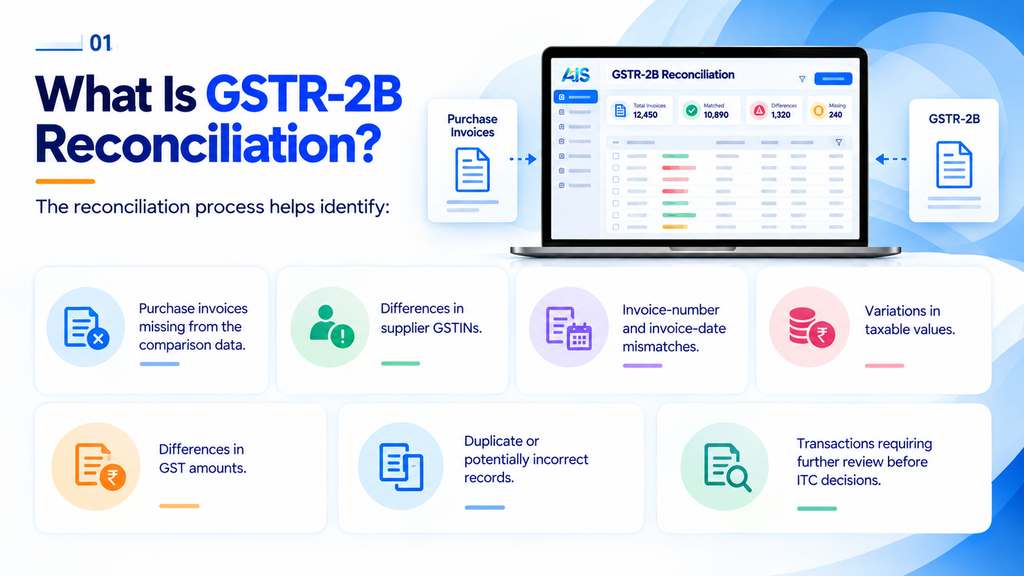
The reconciliation process helps identify:
- Purchase invoices missing from the comparison data.
- Differences in supplier GSTINs.
- Invoice-number and invoice-date mismatches.
- Variations in taxable values.
- Differences in GST amounts.
- Duplicate or potentially incorrect records.
- Transactions requiring further review before ITC decisions.
GSTR-2B reconciliation software helps organize these comparisons and provides a structured way to review matched and unmatched transactions.
Reconciliation results alone do not determine ITC eligibility. Businesses must evaluate the applicable GST requirements and supporting documentation before claiming credit.
2. Why Businesses Need GSTR-2B Reconciliation Software
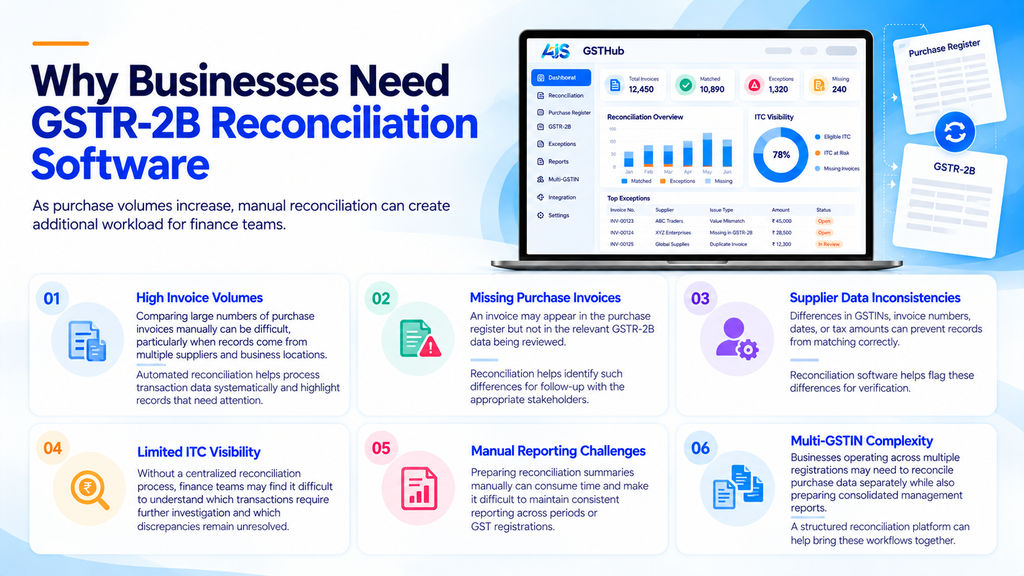
As purchase volumes increase, manual reconciliation can create additional workload for finance teams.
2.1 High Invoice Volumes
Comparing large numbers of purchase invoices manually can be difficult, particularly when records come from multiple suppliers and business locations.
Automated reconciliation helps process transaction data systematically and highlight records that need attention.
2.2 Missing Purchase Invoices
An invoice may appear in the purchase register but not in the relevant GSTR-2B data being reviewed. Reconciliation helps identify such differences for follow-up with the appropriate stakeholders.
2.3 Supplier Data Inconsistencies
Differences in GSTINs, invoice numbers, dates, or tax amounts can prevent records from matching correctly.
Reconciliation software helps flag these differences for verification.
2.4 Limited ITC Visibility
Without a centralized reconciliation process, finance teams may find it difficult to understand which transactions require further investigation and which discrepancies remain unresolved.
2.5 Manual Reporting Challenges
Preparing reconciliation summaries manually can consume time and make it difficult to maintain consistent reporting across periods or GST registrations.
2.6 Multi-GSTIN Complexity
Businesses operating across multiple registrations may need to reconcile purchase data separately while also preparing consolidated management reports.
A structured reconciliation platform can help bring these workflows together.
3. How to Match Purchase Data with GSTR-2B
A structured reconciliation process helps businesses compare purchase records with GSTR-2B and investigate differences systematically.
Step 1: Collect Purchase Register Data
Export or retrieve the relevant purchase data from your accounting system, ERP, or purchase register.
The data may include supplier GSTIN, invoice number, invoice date, taxable value, tax amounts, and total invoice value.
Step 2: Obtain the Relevant GSTR-2B Data
Retrieve the GSTR-2B data for the relevant GSTIN and tax period using the applicable GST process.
Ensure that the purchase data and GSTR-2B data relate to the appropriate period and registration before starting the comparison.
Step 3: Validate the Source Data
Check for missing fields, duplicate entries, incorrect formats, and inconsistent invoice information.
Poor source-data quality can create avoidable mismatches during reconciliation.
Step 4: Match Invoice Details
Compare purchase records with the relevant GSTR-2B entries using fields such as:
- Supplier GSTIN.
- Invoice number.
- Invoice date.
- Taxable value.
- IGST, CGST, and SGST amounts.
- Total invoice value.
The matching rules should reflect the data structure and reconciliation requirements of the business.
Step 5: Classify the Results
Organize the reconciliation results into useful categories, such as:
- Matched records.
- Potential matches requiring verification.
- Purchase invoices not found in the comparison data.
- Records with value or tax mismatches.
- Duplicate or incomplete records.
Step 6: Investigate ITC-Related Exceptions
Review the underlying invoices, supplier information, accounting entries, and other relevant documentation to understand why a record did not match.
Step 7: Record the Outcome
Document the investigation, corrective action, and review status according to the organization’s internal procedures.
Step 8: Generate Reconciliation Reports
Prepare reports showing matched records, unresolved discrepancies, and other information needed for finance-team review.
Automated GSTR-2B reconciliation software can help streamline these steps by reducing repetitive data comparisons and centralizing exception management.
4. Common GSTR-2B and ITC Mismatches
Understanding why records do not match helps finance teams determine the appropriate next steps.
4.1 Invoice Missing from GSTR-2B
A purchase invoice may be recorded internally but not appear in the relevant GSTR-2B data.
The finance team should verify the invoice, review the applicable period and supplier details, and follow up where necessary.
4.2 GSTIN Mismatch
A difference between the supplier GSTIN recorded internally and the GSTIN in the comparison data can prevent a match.
Review the invoice and relevant supplier information before correcting the record.
4.3 Invoice Number Mismatch
Differences in invoice numbering, formatting, or recorded details can create reconciliation exceptions.
Compare the original invoice with the source records to determine whether the difference is a formatting issue or an actual discrepancy.
4.4 Taxable Value Mismatch
The taxable value in the purchase register may differ from the value in the relevant GST data.
Review the invoice, accounting entry, and applicable adjustments before determining the cause.
4.5 Tax Amount Mismatch
Differences in IGST, CGST, or SGST amounts may result from incorrect source data, accounting errors, or other transaction-specific factors.
These differences should be investigated using the supporting documents.
4.6 Duplicate Entries
Duplicate purchase records can distort reconciliation results and require verification before correction.
4.7 Period Differences
Transactions may appear in different periods because of timing differences or the availability of relevant information.
Finance teams should review the applicable tax period and supporting details rather than assuming every unmatched record is an error.
Important: A GSTR-2B mismatch is a reason to investigate a transaction, not automatic proof that ITC is eligible or ineligible. ITC decisions must follow the applicable GST provisions and the facts of the transaction.
5. How ITC Reconciliation Software Helps Finance Teams
ITC reconciliation software helps organize the process of identifying and investigating differences between purchase records and relevant GST information.
Centralized Invoice Comparison
Bring supported purchase data and relevant GST records into a structured reconciliation workflow.
Automated Matching
Use configured matching rules to compare invoice fields and identify potential matches.
Exception Identification
Highlight records that need additional review, including missing invoices and differences in values or tax amounts.
ITC Review Support
Provide finance teams with organized information to investigate potential ITC-related discrepancies.
Exception Tracking
Track outstanding records and document review progress according to internal procedures.
Reconciliation Reporting
Generate summaries to help finance managers understand reconciliation status and unresolved issues.
These capabilities can reduce repetitive manual work and improve visibility, while leaving compliance decisions and appropriate approvals with authorized personnel.
6. Essential Features of GSTR-2B Reconciliation Software
When evaluating a GSTR-2B reconciliation software company or platform, businesses should assess whether its features support their actual reconciliation workflow.
6.1 Purchase Register Reconciliation
The solution should support importing and comparing purchase register data with relevant GST information.
6.2 Invoice-Level Matching
Look for matching capabilities based on GSTIN, invoice number, invoice date, taxable value, and tax amounts.
6.3 Mismatch Categorization
The platform should help distinguish missing invoices, potential matches, duplicate entries, and value or tax differences.
6.4 Exception Management
Finance users should be able to organize discrepancies, review supporting details, and monitor resolution status.
6.5 Multi-GSTIN Management
Businesses with multiple registrations may require centralized dashboards and registration-level reconciliation reports.
6.6 ERP and Accounting Integration
Integration can reduce repetitive file preparation and make it easier to bring relevant financial data into the reconciliation workflow.
6.7 Reporting and Analytics
Reports should help users review reconciliation progress, unresolved discrepancies, and recurring data-quality issues.
6.8 Security and Auditability
Evaluate user permissions, data protection practices, audit-trail capabilities, and the handling of sensitive financial information.
6.9 AI-Assisted Analysis
AI capabilities may help with potential matching, exception categorization, and pattern identification. Businesses should verify how these outputs are validated and reviewed.
7. How AI Can Improve GSTR-2B Reconciliation
AI can complement traditional reconciliation rules by helping finance teams analyze large datasets and organize records that need attention.
AI-Assisted Matching
AI-assisted matching can help identify potential matches when invoice details differ. Users should be able to verify the underlying records before accepting a suggested match.
AI Exception Analysis
AI can help categorize discrepancies and surface unusual records for additional investigation.
Pattern Identification
Analytics can help highlight recurring mismatches, repeated supplier-related issues, or common data-quality problems.
Risk Indicators
AI-assisted indicators can help prioritize transactions for review. They should not be treated as definitive compliance conclusions.
Conversational Access to Information
A GST assistant may help users retrieve available reconciliation summaries or explore reported discrepancies using natural-language questions, depending on the platform’s supported functionality.
AI should support the reconciliation process rather than replace the finance team’s responsibility for validating records and applying GST requirements.
8. GSTR-2B Reconciliation with ERP and Accounting Systems
Purchase records may originate from ERP systems, accounting software, or other business applications.
Connecting these systems with GST reconciliation software can reduce repeated manual exports and help establish a more consistent data workflow.
AIS Business Corp’s GSTHub platform is designed to support integration with ERP and accounting environments, subject to the available connectors and implementation scope.
Typical Integration Workflow
- Data extraction: Retrieve relevant purchase and invoice data from supported systems.
- Data mapping: Align source fields with the required reconciliation format.
- Data validation: Identify incomplete or inconsistent information.
- GSTR-2B comparison: Match purchase records with relevant GST data.
- Exception review: Investigate unmatched transactions and discrepancies.
- Reporting: Generate reconciliation summaries for finance-team review.
- Data exchange: Exchange supported results or status information with connected systems where configured.
Potential integration environments may include SAP, Oracle, Microsoft Dynamics, Tally, Odoo, and custom ERP systems. Businesses should confirm the exact systems, connectors, and integration methods supported for their implementation.
9. GSTHub by AIS Business Corp for GSTR-2B Reconciliation
GSTHub is an AI-powered GST reconciliation and compliance platform from AIS Business Corp, designed to help businesses organize GST data, review discrepancies, and manage reconciliation activities in a centralized workflow.
Its stated capabilities include reconciliation, ITC visibility, exception management, analytics, multi-GSTIN management, audit-trail functionality, and integration with supported ERP and accounting systems.
Centralized Reconciliation
Organize relevant purchase and GST data within a structured reconciliation process.
ITC Visibility
Help finance teams identify potential differences between purchase records and relevant GST data for further review.
Exception Management
Organize unmatched transactions and discrepancies so users can investigate and monitor resolution progress.
AI Match
Support AI-assisted matching workflows, subject to available data and configured capabilities.
AI Exceptions
Assist with categorizing discrepancies and identifying records that require additional attention.
AI Risk and AI Insights
Help surface patterns or indicators that may warrant investigation by finance teams.
GST Copilot
Provide conversational assistance for accessing supported GST information, subject to platform capabilities and user permissions.
Multi-GSTIN Management
Support centralized GST-related workflows for businesses with multiple registrations.
Reporting and Audit Trail
Help organize reconciliation outcomes and relevant activity records for review.
GSTHub is intended to help finance teams improve reconciliation visibility and reduce repetitive manual effort. Businesses should confirm the specific GSTR-2B workflows, integrations, and modules available for their requirements with AIS Business Corp.
10. How to Choose the Right GSTR-2B Reconciliation Solution
Selecting a suitable solution requires evaluating your business’s data, transaction volumes, systems, and review procedures.
Step 1: Understand Your Current Process
Document how purchase data is collected, how GSTR-2B is compared, and how discrepancies are currently investigated.
Step 2: Assess Invoice Volumes
Estimate monthly purchase transactions and consider future growth.
Step 3: Identify Your Data Sources
Determine which ERP systems, accounting applications, and file formats need to be supported.
Step 4: Define Matching Requirements
Identify the fields that need to be compared and the types of discrepancies that must be reported.
Step 5: Evaluate Exception Management
Confirm whether the solution helps users review, track, and resolve unmatched records.
Step 6: Review Multi-GSTIN Needs
Identify whether registration-level and consolidated reporting are required.
Step 7: Check Integration Compatibility
Verify the available connectors, supported data formats, mapping requirements, and implementation responsibilities.
Step 8: Evaluate Security
Review access controls, data handling, audit trails, and other relevant security requirements.
Step 9: Request a Product Demonstration
Ask the provider to demonstrate common scenarios, such as missing invoices, GSTIN mismatches, duplicate entries, and tax-value differences.
Step 10: Compare Total Cost of Ownership
Consider subscription fees, implementation, integrations, training, and ongoing support.
11. Benefits of Automated GSTR-2B Reconciliation
Automated GSTR-2B reconciliation can help businesses improve the efficiency and visibility of their purchase reconciliation processes.
Less repetitive manual work: Automate routine data comparisons and focus on exceptions.
Faster discrepancy identification: Highlight potential mismatches for investigation.
Better ITC review support: Organize relevant information for finance teams to assess potential ITC-related issues.
Improved reporting: Provide structured reconciliation summaries and exception reports.
Centralized visibility: Help teams monitor reconciliation activities across supported registrations.
More consistent processes: Establish repeatable data-matching and review workflows.
Better traceability: Maintain relevant reconciliation information for internal review and audit preparation.
The actual benefits depend on data quality, implementation, integration, and the effectiveness of internal controls.
Frequently Asked Questions
1. What is GSTR-2B reconciliation software?
GSTR-2B reconciliation software helps businesses compare purchase register data with relevant GSTR-2B information, identify discrepancies, and organize transactions for further review.
2. How does GSTR-2B reconciliation work?
Businesses collect purchase register data, obtain the relevant GSTR-2B data, validate records, compare invoice details, investigate mismatches, and document reconciliation results.
3. What is ITC reconciliation software?
ITC reconciliation software helps finance teams identify differences between internal purchase records and relevant GST data so they can investigate potential ITC-related discrepancies.
4. What are the common GSTR-2B mismatches?
Common mismatches include missing invoices, GSTIN differences, invoice-number discrepancies, taxable-value differences, tax-amount mismatches, duplicate entries, and period-related differences.
5. Can GSTR-2B reconciliation software automate invoice matching?
Yes. Depending on the solution, invoice-matching rules can compare fields such as GSTIN, invoice number, date, taxable value, and tax amounts to identify potential matches and exceptions.
6. Does a GSTR-2B match guarantee ITC eligibility?
No. Matching helps organize and verify transaction information, but ITC eligibility depends on applicable GST requirements and the facts of the transaction.
7. Can GSTR-2B reconciliation software integrate with ERP systems?
Some solutions support ERP and accounting integration through APIs, connectors, or file-based workflows. Businesses should confirm the specific systems and integration scope available.
8. What is GSTHub by AIS Business Corp?
GSTHub is an AI-powered GST reconciliation and compliance platform designed to support centralized reconciliation, ITC visibility, exception management, analytics, multi-GSTIN management, and supported ERP or accounting integration.
9. How can I evaluate GSTHub for GSTR-2B reconciliation?
Review your purchase-data sources, invoice volumes, matching requirements, exception workflows, integrations, reporting needs, and security requirements. Request a demonstration from AIS Business Corp to evaluate the relevant capabilities.
10. How can businesses improve their GSTR-2B reconciliation process?
Businesses can improve reconciliation by maintaining accurate source data, using consistent matching rules, automating repetitive comparisons, tracking exceptions, and ensuring that finance teams verify discrepancies before taking corrective action.
Conclusion
GSTR-2B reconciliation is an important part of managing purchase data and supporting ITC reviews. As invoice volumes increase, manual comparisons can become difficult to manage consistently.
GSTR-2B reconciliation software helps businesses organize purchase data, automate invoice matching, identify potential mismatches, and manage exception-review workflows.
GSTHub by AIS Business Corp is designed to support these needs through centralized reconciliation, ITC visibility, AI-assisted analysis, multi-GSTIN management, reporting, and integration with supported business systems.
By evaluating the platform against your transaction volumes, data sources, and compliance workflows, your business can determine how GSTHub may support its reconciliation requirements.
Simplify GSTR-2B reconciliation with GSTHub by AIS Business Corp.
Website: https://aiscorp.ai/
Email: marketing@ananthinfo.com
Phone: +91 88385 81634
