


In this guide: retail inventory management software explained end to end — what it does, the features that matter, and how to roll it out in your stores.
the platform gives multi-store retailers one accurate, real-time view of every item they own — from the stockroom shelf to the sales floor to the warehouse. Instead of guessing what is in each location, teams see live quantities, fast movers, and slow movers the moment they change.
Without it, multi-store retailers lose sales to silent stockouts and lose cash to overstock hiding in the wrong branch. This guide explains how modern retail inventory management software works, which features matter most in 2026, and how AI inside platforms like SAP Business One and Retail Pro AI turns stock control into a competitive advantage.
Why Retail Inventory Management Matters in 2026
Retail inventory management software: Key Considerations
Retail inventory management software enables enterprise teams to make faster, data-driven decisions. Organizations implementing retail inventory management software report significant efficiency gains and reduced manual effort.
Margins in retail are thin and customer patience is thinner. When a shopper cannot find an item in one store, they buy it from a competitor in seconds. Industry research from the National Retail Federation consistently shows that inventory distortion — shrinkage, out-of-stocks, and overstock — costs retailers billions every year.
The root cause is rarely effort; it is fragmentation. Each store tracks stock in its own way, spreadsheets disagree with the POS, and purchasing orders by gut feel. By the time the numbers are reconciled, the selling moment has passed.
the system removes the fragmentation by making one system the single source of truth. Every sale, transfer, return, and receipt updates the same record instantly, so every team plans from the same numbers.
Key Features of Retail Inventory Management Software
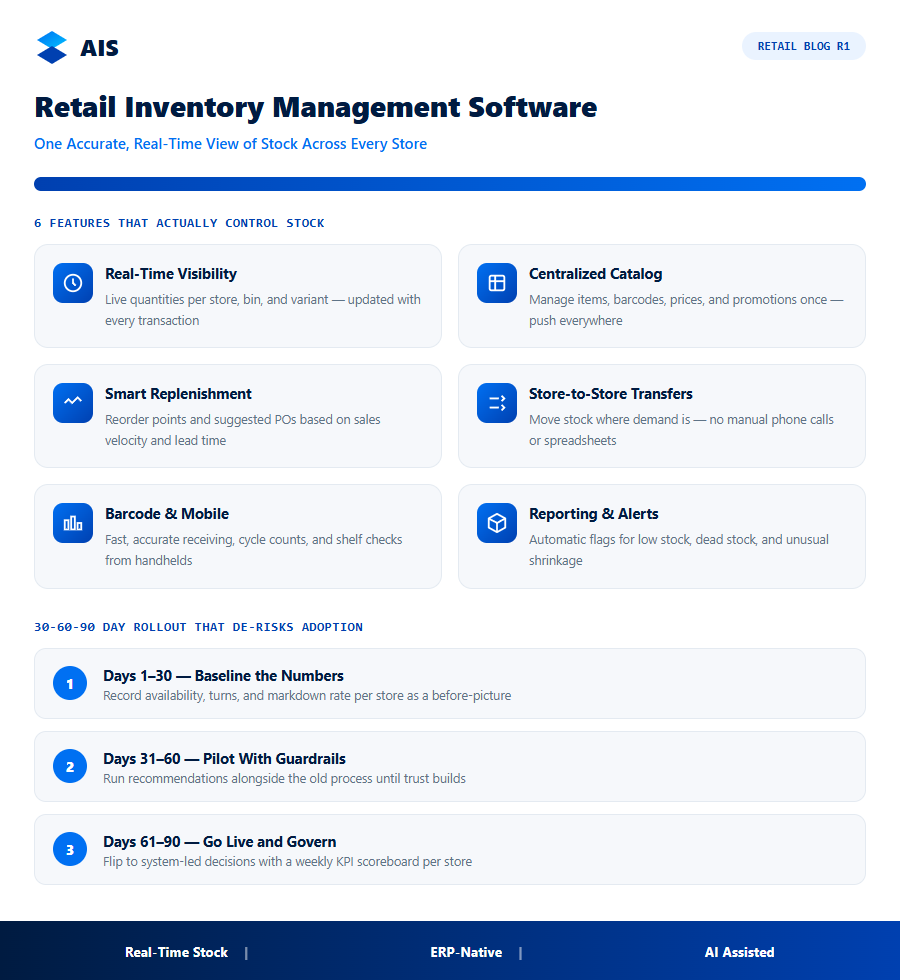
Not all platforms are equal. When you evaluate the system, these capabilities separate the tools that genuinely control stock from the ones that just count it:
- Real-time stock visibility — live quantities per store, per bin, and per variant, updated by every transaction.
- Centralized catalog and pricing — manage items, barcodes, prices, and promotions once; push everywhere.
- Smart replenishment — reorder points and suggested purchase orders based on sales velocity and lead time.
- Store-to-store transfers — move stock where demand is, without manual phone calls and spreadsheets.
- Barcode and mobile support — fast, accurate receiving, cycle counts, and shelf checks from handhelds.
- Reporting and alerts — automatic flags for low stock, dead stock, and unusual shrinkage.
Together these features replace end-of-day reconciliation with continuous accuracy. The goal is simple: the system number and the shelf number should always match.
Choosing the Right Platform: A 2026 Checklist
Vendor demos look impressive because they are staged. Use this comparison to pressure-test any platform you evaluate against your real operations:
| Capability | What to demand | Why it matters |
|---|---|---|
| Real-time sync | Stock updates within seconds of every transaction | Prevents overselling and phantom stock |
| Multi-store transfers | Self-service inter-branch moves with approval flow | Rebalances stock without phone calls |
| Replenishment logic | Velocity and lead-time based suggestions | Stops both stockouts and overbuying |
| ERP integration | Native link to purchasing and finance (e.g. SAP Business One) | One source of truth, no re-keying |
| AI assistance | Anomalies, forecasts, and plain-language answers | Catches problems before they cost money |
Ask every vendor to demonstrate a stockout before it happens: can the system warn you that store four will run out of a top seller next Thursday, given current velocity and the delivery schedule? Platforms built on a real ERP answer that in one click; bolt-on tools usually cannot.
From Stock Control to Competitive Advantage
Retailers who master inventory do not just avoid losses — they trade better. Accurate stock means confident promises to customers, leaner open-to-buy budgets, and the freedom to launch new ranges without fear of stranded goods.
Start small: connect one or two stores, enforce cycle counting, and let automated replenishment run for a month. The accuracy dividend shows up quickly, and scaling to every location becomes a configuration task rather than a project.
A real-world example is described in our write-up on multi-branch retail with SAP Business One..
How the Investment Pays for Itself
The business case for the system is unusually straightforward because the costs of the status quo are visible every single week — in markdowns, rush orders, overtime, and write-offs. Put numbers on those leaks and the software starts paying for itself.
Then look at working capital. Inventory is usually a retailer’s largest use of cash after property, so a ten to fifteen percent reduction in average holdings — a realistic outcome once the system is running — releases funds that can pay down debt or fund new ranges. Labour is the third lever: buyers, planners, and store managers reclaim hours previously lost to spreadsheets, stock counts, and expediting.
There is also a compounding effect that spreadsheets understate. Cleaner stock data improves every downstream decision: forecasts get sharper, suppliers perform better against reliable orders, and store teams stop firefighting. Each quarter the system runs, the recommendations get more precise because they learn from more history — the return grows while the subscription cost stays flat.
A 30-60-90 Day Rollout That De-risks Adoption
The safest way to adopt the system is in waves: prove it in a few stores, harden the process, then scale. A 30-60-90 day plan keeps momentum while giving every stakeholder an early win.
Training is lighter than most teams fear. Store champions need a single hands-on session plus a one-page crib sheet; buyers and planners need half a day on approvals, exceptions, and tuning. Because daily work happens through familiar screens and plain-language alerts, adoption rarely becomes the bottleneck.
- Days 1-30 — baseline the numbers: record availability, turns, and markdown rate per store so the system has a before-picture to beat.
- Days 31-60 — pilot with guardrails: run system recommendations alongside the old process, overriding only with a logged reason, until trust builds.
- Days 61-90 — go live and govern: flip to system-led decisions, review exceptions weekly, and publish a visible KPI scoreboard per store.
Common Mistakes Retailers Make When Choosing Inventory Software
Even well-run retailers fall into predictable traps when they move off spreadsheets. Knowing the failure patterns in advance is often the difference between a smooth rollout and a stalled project.
- Treating it as an IT project instead of an operations project — the software only pays off when store managers, buyers, and warehouse staff change how they work, not just what system they log into.
- Skipping the item-master cleanup — migrating duplicate SKUs, inconsistent barcodes, or missing unit-of-measure data just moves the mess into the new system.
- Going live everywhere at once — a big-bang rollout multiplies the chance that a data error disrupts trading; a phased rollout catches issues while the blast radius is small.
- Under-training store-level staff — if the person doing a cycle count does not trust the handheld scanner, they will quietly revert to paper.
Retailers who plan for these issues up front typically reach stable, trusted stock accuracy a full quarter faster than those who discover them mid-rollout.
A Composite Example: Nine Stores, One Stockroom Problem
Consider a mid-size apparel chain with nine stores and a shared regional stockroom — a pattern common enough to describe generically. Before adopting retail inventory management software, store managers kept personal count sheets that rarely matched the POS, and head office relied on a Friday spreadsheet roll-up already stale by the time it reached a supplier.
The visible symptom was markdowns: unsold winter stock sitting in two stores while two others sold out of the same styles. Worse, buyers kept reordering styles that were actually overstocked chain-wide, because no single view showed total available quantity across all locations plus the regional stockroom.
After centralizing stock tracking, the chain piloted the system on its two highest-volume stores for 90 days before rolling out everywhere. Transfers between stores replaced roughly 40% of what had previously been new purchase orders — stock already owned, simply redirected to where it would sell instead of getting marked down. By the following season, aged inventory fell by nearly a third.
The lesson generalizes: the biggest inventory win for most multi-store retailers is not buying less — it is knowing what is already owned and moving it before it ages into a markdown.
Signs Your Current Inventory Process Has Already Broken
Retailers rarely replace inventory tools proactively; they replace them once the pain becomes unavoidable. These are reliable warning signs that the current process has already failed:
- Store managers keep a private shadow count — a notebook or personal spreadsheet they trust more than the system of record.
- Purchase orders are placed on gut feel — buyers reorder a fixed quantity by habit rather than a velocity-based suggestion, because system suggestions have been wrong too often.
- Transfers happen by phone call — a manager rings another store to ask about stock rather than checking a shared screen.
- Cycle counts take days and still do not reconcile — physical counts routinely disagree with system counts, with no quick explanation for the variance.
- Nobody can answer “how much of X do we own right now” in under a minute without cross-referencing several reports by hand.
If two or more of these are true today, the cost of waiting compounds every season as markdowns and lost sales pile up on a foundation nobody trusts.
Retail inventory management software: Frequently Asked Questions
What does retail inventory management software cost?
Pricing scales with users, locations, and transaction volume. Entry tiers cover a handful of stores; enterprise deployments with ERP integration and AI forecasting cost more but typically pay back through reduced shrinkage and leaner stock holdings within the first year.
Can it work with my POS?
Most modern platforms integrate with leading POS systems via API. If you run SAP Business One, platforms like Retail Pro AI connect natively, so sales, stock, and purchasing stay in one database.
How long does implementation take?
A single-store rollout often takes two to four weeks including data migration and staff training. Multi-store programs run six to twelve weeks depending on catalog size and integration depth.
What data do we need before starting with retail inventory management software?
Clean item masters, accurate opening stock per location, supplier lead times, and at least six months of sales history. Most retailers already hold all four inside their POS and ERP — the implementation work is validation and deduplication, typically completed inside the first month.
Can small retail chains afford this kind of platform?
Yes. Cloud pricing scales with stores and users, so a five-store chain pays a fraction of what an enterprise deployment costs. Because the savings come from the same leaks — stockouts, markdowns, overstock — smaller chains often see faster payback in percentage terms.
Does this kind of platform replace our buyers and planners?
No — it upgrades them. the platform handles the repetitive arithmetic of forecasting and ordering so buyers can negotiate better terms, planners can shape ranges, and store teams can serve customers. Headcount rarely falls; output per head rises sharply.
the system is no longer a back-office luxury — it is the control system that keeps multi-store retail profitable. Pick a platform with real-time stock, ERP-grade integration, and AI assistance, start with one store, and scale what works.
The retailers who fix stock accuracy first find every other decision — pricing, promotions, expansion — gets easier. The retailers winning in 2026 are not the ones with the most stores — they are the ones whose stock decisions are fastest and most accurate.
the system is how a mid-size chain trades with the discipline of a national one. See how Retail Pro AI brings retail inventory management software together with AI inside SAP Business One — book a demo to see your own store data in action.
