


In this guide: retail replenishment software explained end to end — what it does, the features that matter, and how to roll it out in your stores.
the replenishment engine watches sales and stock levels across every store and automatically tells you what to reorder, when, and in what quantity. Instead of a buyer reviewing dozens of spreadsheets, the system generates suggested purchase orders the moment demand patterns justify them.
Replenishment is where multi-store retailers win or lose the quarter. Reorder too late and shelves go empty during the busiest days; reorder too early and cash sits in the stockroom. This guide explains how retail replenishment software works, which replenishment models to use, and how AI platforms like Retail Pro AI built on SAP Business One take reordering from reactive to automatic.
Why Manual Replenishment Breaks at Multi-Store Scale
Manual reordering works for one store and falls apart for ten. Each location has different sales velocity, shelf capacity, and delivery schedules. A buyer who calculates quantities by hand is always fighting yesterday’s data, and the mistakes compound: urgent phone orders at premium prices one week, clearance sales the next.
The hidden cost is decision fatigue. When buyers spend hours computing quantities, they have no time left for negotiating with suppliers, auditing wastage, or planning seasonal ranges — the work that actually grows margin.
How Retail Replenishment Software Works
the engine replaces gut feel with a repeatable calculation. For every item in every store, the system continuously evaluates:
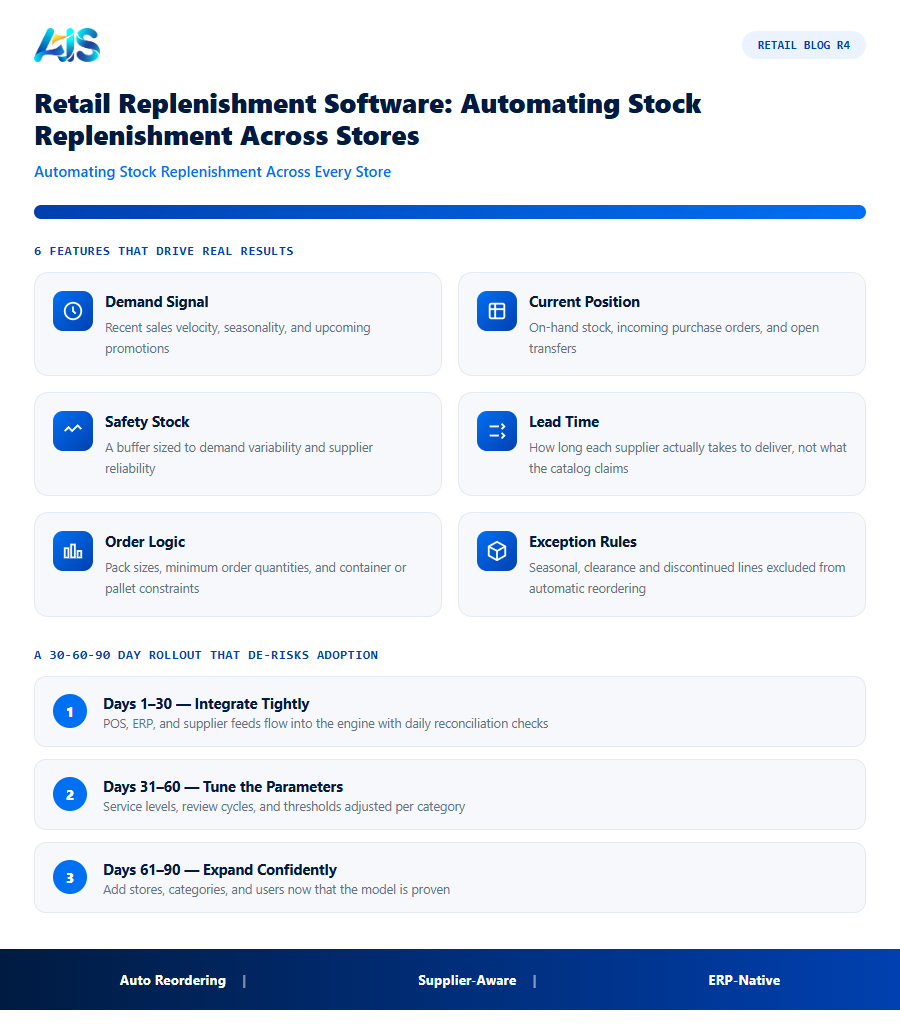
- Demand signal — recent sales velocity, seasonality, and upcoming promotions.
- Current position — on-hand stock, incoming purchase orders, and open transfers.
- Safety stock — a buffer sized to demand variability and supplier reliability.
- Lead time — how long each supplier actually takes to deliver, not what the catalog claims.
- Order logic — pack sizes, minimum order quantities, and container or pallet constraints.
When projected stock falls below the safety threshold before the next delivery can arrive, the system raises a suggested order. The buyer reviews, adjusts, and approves in minutes — and every decision is logged, so replenishment quality improves month after month.
Replenishment Models: Which Fits Your Retail Business?
the engine usually supports several ordering strategies side by side — the skill is matching the model to the category:
| Model | Best for | Watch out for |
|---|---|---|
| Min / max | Stable sellers with steady demand | Ignores seasonality unless reviewed |
| Days of cover | Fast movers and perishables | Needs accurate velocity by store |
| Forecast-based | Seasonal and promoted items | Requires clean sales history |
| Top-up to planogram | Fixed-shelf formats like grocery | Blind to demand shifts if plan is stale |
| Manual review queue | New items and exceptions | Time cost grows with catalog size |
Most retailers run a hybrid: forecast-based ordering for seasonal ranges, days-of-cover for core lines, and a review queue for everything new. Good the engine lets you assign the model per category, per store, and even per item.
Measuring Success: KPIs That Prove It Works
Track four numbers before and after go-live: stockout rate on top sellers, weeks of cover on slow movers, emergency order frequency, and buyer hours spent per week on ordering. Retailers typically see stockouts and emergency buys fall sharply within the first quarter, while buyer time shifts from arithmetic to supplier management.
One caution: automate review, not accountability. Keep a human approving suggested orders — the software proposes, your buyer decides, and the audit trail makes every decision improvable.
The mechanics here mirror SAP supply chain planning principles, applied at store level rather than plant level.
Reorder logic builds on the principles in our inventory management software guide..
How the Investment Pays for Itself
Boards do not buy software, they buy outcomes. For retail replenishment software, the outcomes that matter are fewer stockouts, leaner inventory, and calmer teams — each of which can be quantified before you commit a single dollar.
A sensible target is full payback inside twelve months on a like-for-like store group. Most of our clients hit it sooner, because the engine attacks several cost lines simultaneously rather than optimising one metric in isolation. Finance can verify every claim from the POS and the general ledger — no faith required.
Finally, weigh the cost of delay. Each season run on gut feel locks in another cycle of markdowns and missed sales that no later efficiency can recover. Pilots are cheap, reversible, and fast — the greater risk is spending another year with the same blind spots while competitors systematise their advantage.
A 30-60-90 Day Rollout That De-risks Adoption
Treat the rollout of retail replenishment software as a retail season, not an IT project: short, intense, and judged on numbers. The 30-60-90 rhythm below is the pattern our most successful deployments share.
Scale in cohorts, not all at once. Each wave of stores inherits tuned parameters and battle-tested training from the last, so effort per store falls as coverage grows. By the final cohort, cutover is a routine operation rather than a project — exactly how enterprise rollouts should feel.
- Days 1-30 — integrate tightly: POS, ERP, and supplier feeds flowing into the engine with reconciliation checks every morning.
- Days 31-60 — tune the parameters: service levels, review cycles, and thresholds adjusted per category until recommendations feel right.
- Days 61-90 — expand confidently: add stores, categories, and users now that the model is proven on real trading data.
Replenishment Implementation Checklist
Automating stock replenishment across stores works only if the underlying rules are set up correctly before go-live. Use this checklist to prepare:
- Confirm supplier lead times per item, not just per supplier — a single vendor often ships different products from different warehouses with different transit times.
- Set minimum and maximum stock levels per store, not one chain-wide number — a flagship store and a small-format branch need different depth of stock for the same SKU.
- Define exception rules for seasonal items, clearance stock, and discontinued lines so replenishment software does not keep reordering products you intend to phase out.
- Agree an approval threshold — small routine reorders can go out automatically, while large or unusual orders route to a buyer for a quick sign-off.
- Test with a control group — run automated replenishment on a subset of stores or categories for a full cycle before switching every location over.
Retailers who skip the exception-rule step are the ones most likely to see the software reorder discontinued stock or over-order around a planned promotion. Building these rules up front, even if it delays go-live by a week or two, prevents the kind of early mistake that erodes store manager trust in automated replenishment software.
A Composite Example: Fixing a Grocery Chain’s Weekend Stockouts
A regional grocery chain with 14 stores — a pattern typical enough to describe generically — kept running out of high-velocity dairy and bakery items every Friday and Saturday, its two busiest trading days, despite a buyer manually reviewing reorder sheets every morning. The root cause was not effort but timing: the manual process reviewed average weekly velocity, which smoothed out the weekend spike into a number too low to trigger a timely reorder.
After moving to retail replenishment software with days-of-cover logic tuned separately for weekday and weekend velocity, the same items were flagged for reorder up to two days earlier in the week, giving suppliers enough lead time to deliver before the Friday rush. Weekend stockouts on the affected categories dropped by more than half within two months, without any increase in average stock holding — the fix was timing, not volume.
The broader takeaway: a chain-wide average velocity number, however accurate on paper, can still trigger the wrong reorder timing if it hides a predictable pattern like a weekend spike. Replenishment software earns its value by tracking demand at the granularity where the pattern actually lives — by day of week, by store, by category — rather than smoothing it away.
Replenishment Software vs. Manual Reordering: A Side-by-Side View
Retailers weighing whether to invest often want the comparison stated plainly rather than in feature lists. Here is how the two approaches typically differ in practice:
| Dimension | Manual reordering | Retail replenishment software |
|---|---|---|
| Time per reorder cycle | Hours per buyer, per store group | Minutes to review system-generated suggestions |
| Reaction to a sales spike | Often noticed after the stockout occurs | Flagged as velocity shifts, before stock runs out |
| Consistency across stores | Varies by which buyer covers which stores | Same logic applied everywhere, tunable by category |
| Audit trail | Rarely documented beyond the PO itself | Every suggestion, override, and reason logged |
| Scaling to new stores | Linear increase in buyer workload | New store inherits proven parameters immediately |
The comparison is not an argument for removing buyers from the loop — it is an argument for removing arithmetic from their day so the judgment they bring to genuine exceptions gets applied where it actually matters.
Retail replenishment software: Frequently Asked Questions
How does retail replenishment software calculate order quantities?
It combines recent sales velocity, seasonality, lead times, safety stock targets, current on-hand and incoming stock, and constraints like pack sizes — then suggests an order that covers demand until the next replenishment cycle.
Can replenishment handle promotions and seasonality?
Yes. Forecast-based models ingest planned promotions and historical seasonal patterns, so you build stock before the spike instead of chasing it.
Does retail replenishment software work with SAP Business One?
Platforms like Retail Pro AI are built on SAP Business One, so suggested purchase orders flow through the same approval and procurement workflows your team already uses.
How long until we see ROI from retail replenishment software?
Dashboard and alert value appears in weeks; measurable KPI movement — availability up, markdowns down — typically shows within one quarter on pilot stores. Full payback inside twelve months is the benchmark to hold vendors to, and most well-run rollouts beat it.
How does this kind of platform integrate with SAP Business One?
Through a native connector, the platform reads items, warehouses, purchase orders, and sales history directly from SAP Business One and writes back approved transactions — no re-keying, no nightly batch files. Platforms such as Retail Pro AI are built specifically for this integration, so stock, purchasing, and finance stay in one consistent database.
How is this kind of platform different from our POS reports?
POS reports describe what already happened; the platform decides what should happen next. It forecasts demand, generates orders and transfers, flags exceptions, and explains its reasoning — moving teams from backward-looking reports to forward-looking decisions.
the engine replaces guesswork with a repeatable, auditable ordering engine. Let the system watch velocity and lead times, keep your buyers in charge of approvals, and measure the result in fewer stockouts, leaner stock, and calmer Mondays. The technology is proven, the payback is measurable, and the risk of a small pilot is minimal. What remains is simply the decision to let the engine start earning its keep in your stores. See how Retail Pro AI brings retail replenishment software together with AI inside SAP Business One — book a demo to see your own store data in action.
